

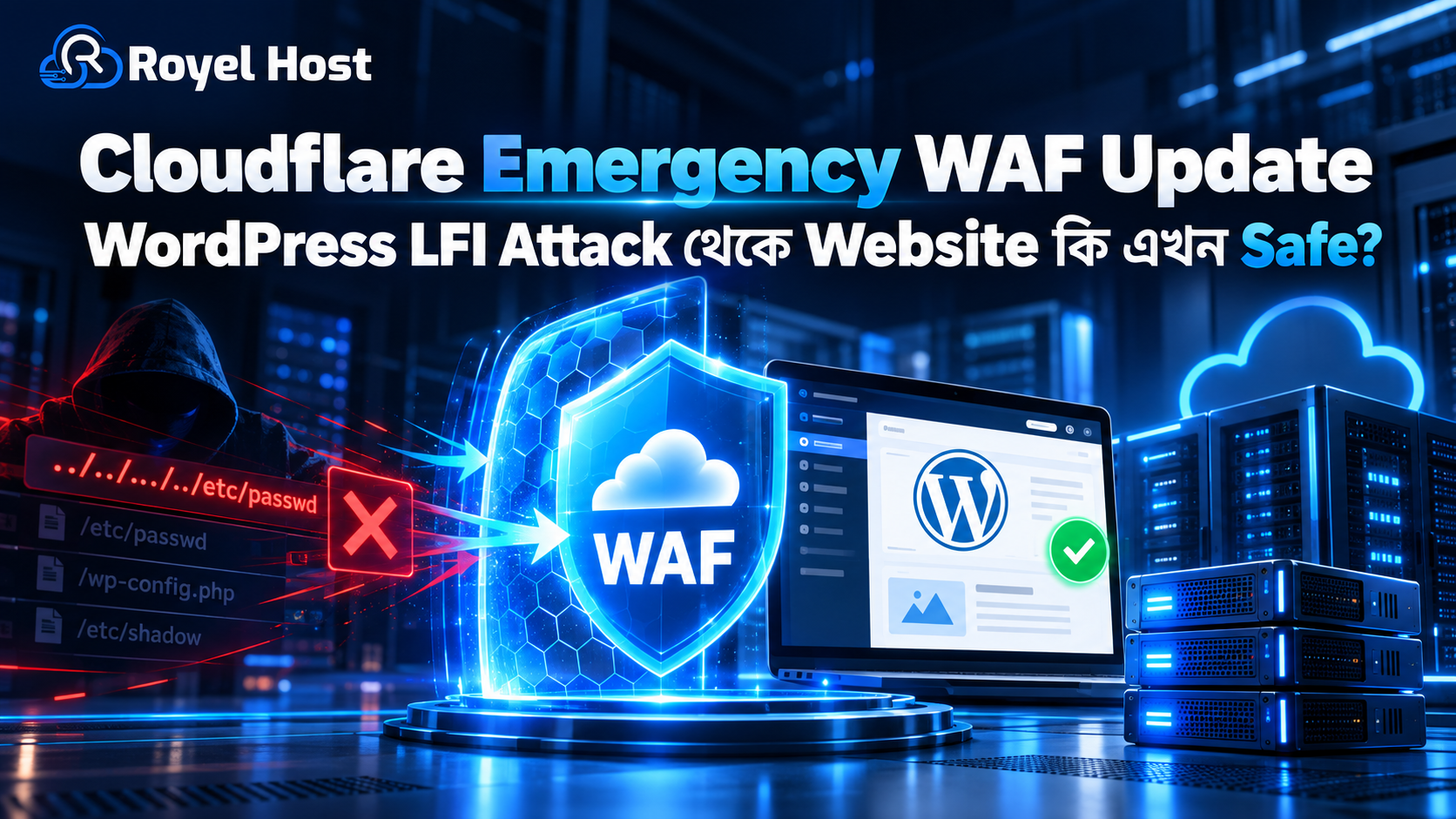
Cloudflare Emergency WAF Update—WordPress Path Traversal/LFI Attack থেকে Website কি এখন Safe?
WordPress Website Security নিয়ে 2026 সালের September-এর শেষ সপ্তাহে আবারও গুরুত্বপূর্ণ আলোচনা শুরু হয়েছে।
কারণ CVE-2026-87902 নামে একটি WordPress vulnerability নিয়ে Cloudflare 25 September 2026 Emergency WAF rule release করেছে।
এই vulnerability এমন একটি condition তৈরি করতে পারে যেখানে unauthenticated attacker crafted request ব্যবহার করে WordPress-এর template resolution behavior abuse করার চেষ্টা করতে পারে।
সবচেয়ে গুরুত্বপূর্ণ বিষয়:
Cloudflare WAF Rule থাকলেই Website পুরোপুরি Safe—এমন নয়।
কারণ WAF attack request block করতে সাহায্য করতে পারে, কিন্তু vulnerable WordPress Core বা Origin Server update না করলে underlying vulnerability থেকেই যায়।
তাই practical security approach হবে:
Cloudflare WAF + WordPress Security Update + Secure Hosting + Monitoring
এই guide-এ আমরা দেখব:
- CVE-2026-87902 কী
- Path Traversal কী
- Local File Inclusion বা LFI কী
- কেন এই vulnerability serious
- WordPress 7.1.2 কী fix করেছে
- Cloudflare Emergency WAF কীভাবে protection দেয়
- Cloudflare থাকলে WordPress Update দরকার কি না
- Website Owner-দের এখন কী করা উচিত
CVE-2026-87902 কী?
CVE-2026-87902 WordPress Core-এর একটি security vulnerability।
Issueটি WordPress-এর page template resolution behavior-এর সঙ্গে related।
Specific condition match করলে unauthenticated attacker এমন crafted request তৈরি করতে পারে যা WordPress-কে intended theme template directory-এর বাইরে থাকা local PHP file process/include করার চেষ্টা করাতে পারে।
এখানে attack-এর success Server Configuration, Theme Structure এবং accessible local file-এর ওপর depend করতে পারে।
এই কারণে vulnerability-এর impact environment অনুযায়ী আলাদা হতে পারে।
“Unauthenticated Attacker” মানে কী?
Unauthenticated attacker মানে attacker-এর WordPress Account বা Login দরকার নেই।
অর্থাৎ attack attempt করার জন্য তাকে:
- Administrator হতে হবে না
- Editor হতে হবে না
- Subscriber Account দরকার নেই
Public Website access থাকলেই malicious request পাঠানোর চেষ্টা করতে পারে।
এই কারণেই unauthenticated vulnerability সাধারণত বেশি গুরুত্ব পায়।
Path Traversal কী?
Path Traversal এমন একটি attack technique যেখানে attacker application-কে intended directory-এর বাইরে থাকা file access করানোর চেষ্টা করে।
সহজভাবে ধরুন:
Application শুধু একটি নির্দিষ্ট Folder-এর file access করার কথা।
কিন্তু attacker specially crafted path ব্যবহার করে parent বা অন্য local directory-এর file access করার চেষ্টা করছে।
এই ধরনের issue-কে সাধারণভাবে:
Directory Traversal বা Path Traversal
বলা হয়।
WordPress-এর ক্ষেত্রে এটি কেন Dangerous?
WordPress Website Server-এ শুধু public image বা theme file থাকে না।
Server-এ আরও থাকতে পারে:
- PHP File
- Configuration File
- Plugin File
- Theme File
- Cache File
- Log File
- Application File
যদি application intended boundary-এর বাইরে local file process করতে শুরু করে, তাহলে attacker আরও sensitive area touch করার opportunity পেতে পারে।
LFI বা Local File Inclusion কী?
LFI-এর Full Form:
Local File Inclusion
LFI vulnerability-তে attacker Server-এর local file Application-এর execution বা processing flow-এর মধ্যে include করানোর চেষ্টা করে।
এটি normal file download-এর মতো simple বিষয় নয়।
Impact depend করবে:
- কোন File include হচ্ছে
- File-এর Content কী
- Web Server কীভাবে process করছে
- PHP configuration কী
- Attacker অন্য জায়গায় controllable content create করতে পেরেছে কি না
এই কারণে কিছু LFI vulnerability শুধু information exposure হতে পারে, আবার কিছু environment-এ impact অনেক বেশি হতে পারে।
Path Traversal এবং LFI কি একই?
পুরোপুরি না।
Path Traversal হলো directory boundary escape করার technique।
LFI হলো local file application execution/processing-এর মধ্যে include করানোর vulnerability।
কখনো Path Traversal technique ব্যবহার করে LFI trigger করা সম্ভব হতে পারে।
এই vulnerability discussion-এ দুই concept কাছাকাছি এসেছে।
CVE-2026-87902 কতটা Serious?
Issueটিকে lightly নেওয়া উচিত নয়।
কারণ vulnerable setup-এ unauthenticated attacker local PHP file include/process করানোর চেষ্টা করতে পারে।
Certain conditions match করলে impact Remote Code Execution বা RCE পর্যন্ত যেতে পারে।
তবে এখানে গুরুত্বপূর্ণ nuance হলো:
প্রতিটি vulnerable-looking Website automatically RCE exploitable নয়।
Server, Theme, File Path এবং local environment-এর কিছু pre-condition প্রয়োজন হতে পারে।
তাই exaggerated headline না দেখে actual patch apply করাই practical approach।
Remote Code Execution বা RCE কী?
RCE মানে attacker Server-এ নিজের controlled code execute করার ability পেয়ে যেতে পারে।
Successful RCE সবচেয়ে serious Website Security impact-এর একটি।
কারণ attacker এরপর চেষ্টা করতে পারে:
- Malicious File Upload
- Backdoor তৈরি
- Database Access
- Spam Send
- Website Redirect
- Credential Theft
- SEO Spam
- Malware Distribution
তবে আবারও মনে রাখবেন:
CVE-2026-87902-এর প্রতিটি exploitation attempt automatically RCE হবে—এমন নয়।
WordPress 7.1.2 কেন Release করা হয়েছে?
WordPress 22 September 2026 security release হিসেবে WordPress 7.1.2 প্রকাশ করে।
এই release-এর মধ্যে CVE-2026-87902-এর fix রয়েছে।
WordPress Team affected user-দের update করার recommendation দিয়েছে।
অর্থাৎ Website Owner-এর সবচেয়ে গুরুত্বপূর্ণ action:
WordPress Core Update করা।
“আমার Cloudflare আছে”—তাহলে কি Update না করলেও হবে?
না।
এটাই এই পুরো article-এর সবচেয়ে গুরুত্বপূর্ণ অংশ।
Cloudflare WAF এবং WordPress Patch-এর কাজ আলাদা।
Cloudflare WAF:
Malicious Request Origin Server-এ পৌঁছানোর আগেই Block করার চেষ্টা করে।
WordPress Update:
Application-এর আসল Vulnerability Fix করে।
তাই WAF হলো:
Mitigation Layer
আর WordPress Update হলো:
Actual Vulnerability Fix
Cloudflare Emergency WAF Update কী করেছে?
Cloudflare 25 September 2026 Emergency WAF Update release করেছে।
এই update-এর উদ্দেশ্য হলো CVE-2026-87902 exploit attempt detect এবং block করতে সাহায্য করা।
Cloudflare Managed Ruleset ব্যবহার করলে relevant malicious request pattern Edge-এ detect হওয়ার সুযোগ থাকে।
এর ফলে request Origin WordPress Server-এ পৌঁছানোর আগেই block হতে পারে।
Cloudflare WAF কীভাবে Website Protect করে?
Website যদি Cloudflare Proxy-এর পেছনে থাকে, visitor request প্রথমে Cloudflare Network-এর মধ্য দিয়ে যায়।
Flow broadly এমন:
Visitor → Cloudflare → Origin Server
WAF request inspect করতে পারে।
Suspicious pattern detect হলে:
Visitor → Cloudflare → Block
এবং malicious request Origin Server-এ পৌঁছায় না।
তাহলে Cloudflare থাকলে Risk কমে?
হ্যাঁ, Risk significantly reduce হতে পারে।
বিশেষ করে known exploit pattern-এর বিরুদ্ধে Managed WAF Rule valuable protection layer।
কিন্তু “Risk কমেছে” এবং “Website permanently secure” একই কথা নয়।
WAF কেন Patch-এর Replacement নয়?
কারণ WAF attack pattern detect করে।
কিন্তু Application vulnerability eliminate করে না।
ধরুন:
WordPress vulnerable অবস্থায় আছে।
আজ Cloudflare একটি exploit pattern block করছে।
আগামীকাল attacker alternate request pattern খুঁজে পেল।
যদি Origin এখনও vulnerable থাকে, risk আবার থাকতে পারে।
এই কারণে security industry-এর basic principle:
Patch the vulnerability at the source.
Origin Server কী?
Origin Server হলো actual Hosting Server যেখানে Website-এর:
- WordPress
- Database
- PHP
- Theme
- Plugin
- Upload
চলছে।
Cloudflare visitor এবং Origin-এর মধ্যে proxy/security layer হিসেবে কাজ করতে পারে।
Cloudflare Origin-এ Patch করতে বলছে কেন?
কারণ Cloudflare নিজেও WAF-কে complete replacement হিসেবে দেখে না।
Origin Application vulnerable থাকলে long-term security-এর জন্য vendor patch apply করা দরকার।
Practical sequence:
WAF Protection → Core Update → Verify → Monitor
কোন WordPress User-দের বেশি Concern হওয়া উচিত?
বিশেষভাবে:
- Outdated WordPress Core
- Public-facing WordPress Website
- Business Website
- WooCommerce
- Agency Website
- High-Traffic Site
- Multiple WordPress Hosting Account
এর ক্ষেত্রে security update delay না করা ভালো।
WordPress Version কীভাবে Check করবেন?
WordPress Admin Dashboard-এ যান।
তারপর:
Dashboard → Updates
Section থেকে current WordPress Version এবং available update দেখা যায়।
WordPress Security Update available থাকলে recent backup verify করে update করুন।
Automatic Update থাকলে কি নিজে কিছু করতে হবে?
Automatic Minor/Security Update enable থাকলে Website already patched হতে পারে।
তবুও confirm করুন।
কারণ automatic update fail হতে পারে:
- File Permission
- Disk Space
- Network Issue
- Custom Update Configuration
- Maintenance Failure
কারণে।
Update-এর আগে Backup দরকার?
হ্যাঁ।
বিশেষ করে Production Website হলে recent working backup থাকা উচিত।
Backup-এর মধ্যে ideally থাকবে:
- Database
- WordPress Files
- wp-content
- Theme
- Plugin
- Upload
Security Update urgent হলেও backup discipline বাদ দেওয়া ঠিক নয়।
WordPress 7.1.2 Update করলে Website Break হতে পারে?
Security patch/minor release সাধারণত compatibility risk major update-এর তুলনায় কম।
তবুও Production Website-এ test করুন।
বিশেষ করে:
- Custom Theme
- Custom Plugin
- Page Builder
- WooCommerce
- Payment Gateway
ব্যবহার করলে।
WooCommerce Website হলে কী Extra Check করবেন?
Update-এর পরে check করুন:
- Homepage
- Product Page
- Cart
- Checkout
- Login
- Order
- Payment Gateway
- Customer Account
Security Update সফল হলেও Business Flow verify করা উচিত।
Cloudflare Managed Ruleset কী?
Cloudflare Managed Rules হলো pre-built Web Application Firewall Rules যা known attack pattern detect করতে সাহায্য করে।
এর মধ্যে থাকতে পারে:
- SQL Injection
- XSS
- Path Traversal
- RCE Pattern
- Known CVE Detection
Emergency vulnerability-এর সময় Cloudflare দ্রুত নতুন detection rule deploy করতে পারে।
Cloudflare WAF Enabled আছে কি না Check করবেন
Cloudflare Dashboard-এ Website select করুন।
তারপর Security/WAF-related section review করুন।
দেখুন:
- Managed Rules Enabled
- Rule Action
- Security Event
- Block Event
Relevant emergency rule automatically managed হতে পারে।
Free Cloudflare User-রা কি Protection পাবে?
Cloudflare-এর available WAF feature Plan অনুযায়ী আলাদা হতে পারে।
তাই শুধু Cloudflare Nameserver ব্যবহার করছেন বলেই ধরে নেবেন না যে সব Managed Security Rule একইভাবে active।
Dashboard-এ actual Security Feature check করুন।
Cloudflare Orange Cloud কেন গুরুত্বপূর্ণ?
DNS Record যদি proxied থাকে, সাধারণত Orange Cloud দেখা যায়।
তখন traffic Cloudflare Network-এর মাধ্যমে যেতে পারে।
DNS-only Record হলে Traffic directly Origin-এ যেতে পারে।
WAF protection পেতে Website Traffic Cloudflare Proxy-এর মধ্য দিয়ে আসা দরকার।
Origin IP Directly Accessible হলে Problem কী?
ধরুন Website Cloudflare ব্যবহার করছে।
কিন্তু attacker Origin Server IP জানে।
সে যদি Cloudflare bypass করে directly Origin-এ request পাঠাতে পারে, WAF Rule bypass করার possibility তৈরি হতে পারে।
এই কারণে serious Cloudflare Security Setup-এ Origin Access Restrictionও গুরুত্বপূর্ণ।
Origin Server Lockdown কী?
Advanced Setup-এ Origin Server এমনভাবে configure করা যায় যাতে only trusted proxy/network থেকে Web Traffic accept করে।
এতে direct-origin bypass attack কমানো যায়।
তবে ভুল Firewall Configuration Website Down করতে পারে।
এটি Server Administrator-এর কাজ।
Shared Hosting User কী করবে?
Shared Hosting User-এর Root Server Access সাধারণত থাকে না।
তাই তাদের সবচেয়ে গুরুত্বপূর্ণ কাজ:
- WordPress Update
- Plugin Update
- Theme Update
- Cloudflare Check
- Hosting Provider-এর Security Notice Follow
Server-level configuration Hosting Provider manage করবে।
VPS User কী করবে?
VPS User-এর responsibility বেশি।
Check করতে হবে:
- WordPress Core
- Web Server
- PHP
- Firewall
- Cloudflare
- File Permission
- Logs
- Malware Scan
Managed VPS হলে Provider-এর সঙ্গে security status confirm করুন।
Path Traversal Attack Log-এ কী দেখতে পারেন?
Attack pattern environment অনুযায়ী আলাদা হতে পারে।
Possible signal:
- Unusual URL
- Repeated malformed path
- Theme/template-related suspicious request
- Unknown IP থেকে burst traffic
- WAF Block Events
কিন্তু manually শুধু URL দেখে CVE exploitation confirm করা কঠিন হতে পারে।
Cloudflare Security Events কেন Check করবেন?
Emergency WAF Rule deploy হওয়ার পরে Security Events useful।
এখানে দেখতে পারেন:
- Blocked Request
- Request Source
- Country
- IP
- Rule
- URI
- Action
যদি relevant exploit attempt detect হয়, Website targeted হয়েছিল কি না বোঝা সহজ হয়।
WAF Block দেখলেই Website Hack হয়েছে?
না।
WAF Block মানে request stop করা হয়েছে।
এটি successful compromise-এর proof নয়।
একইভাবে WAF event না থাকলেই Website definitely safe—এমনও নয়।
আগে Exploit হয়ে থাকলে Update করলেই হবে?
শুধু Update যথেষ্ট নাও হতে পারে।
যদি Website already compromised হয়ে থাকে, patch future exploitation বন্ধ করতে সাহায্য করবে, কিন্তু existing malware/backdoor remove করবে না।
সন্দেহ হলে Security Audit করুন।
Website Compromise-এর Sign কী?
Possible signs:
- Unknown Admin User
- Unexpected Plugin
- Unknown PHP File
- Redirect
- Spam Page
- Search Result Spam
- High CPU
- Suspicious Cron
- Modified Core File
- Outgoing Spam
একটি sign alone compromise confirm করে না, কিন্তু investigation দরকার।
Malware Scan করা উচিত?
যদি vulnerable period-এ Website public ছিল এবং suspicious activity থাকে, scan করা sensible।
Hosting Security Scanner বা trusted WordPress Security Tool ব্যবহার করা যেতে পারে।
WordPress Core File Integrity Check কেন Important?
Attacker Core File modify করলে normal Website দেখতে ঠিক থাকলেও backdoor থাকতে পারে।
Core File Integrity verify করলে unexpected modification identify করা easier।
wp-config.php কেন Sensitive?
WordPress-এর wp-config.php Website-এর important configuration file।
এতে সাধারণত Database-related configuration এবং security-related constants থাকতে পারে।
এই ধরনের file unauthorized access থেকে protect করা গুরুত্বপূর্ণ।
তবে প্রতিটি LFI vulnerability automatically wp-config.php plain text expose করবে—এমন ধরে নেওয়া ঠিক নয়।
Actual behavior Server Configuration-এর ওপর depend করে।
Configuration File Leak কেন Dangerous?
Sensitive configuration expose হলে attacker পেতে পারে:
- Database Information
- API Credential
- Secret
- Integration Detail
এই কারণে local file access vulnerability serious।
File Permission ঠিক রাখা কেন দরকার?
Correct File Permission attacker impact limit করতে সাহায্য করতে পারে।
WordPress File broadly only necessary process-এর access পাওয়া উচিত।
Overly permissive permission avoid করুন।
777 Permission কি Safe?
সাধারণভাবে WordPress File/Folder-এ unnecessary 777 permission দেওয়া secure practice নয়।
Hosting Environment অনুযায়ী correct permission follow করা উচিত।
Plugin Update-এর সঙ্গে এই CVE-এর Relation আছে?
CVE-2026-87902 WordPress Core issue হলেও Plugin outdated থাকলে আলাদা vulnerability থাকতে পারে।
Website Security শুধু Core Patch-এ শেষ নয়।
একই সময়ে check করুন:
- Plugin
- Theme
- PHP
Unused Plugin Delete করবেন?
হ্যাঁ, যদি প্রয়োজন না থাকে।
Inactive Pluginও Server-এ File হিসেবে থাকে।
Security Risk কমাতে unnecessary software remove করা ভালো practice।
Theme-এর ক্ষেত্রেও কি একই?
হ্যাঁ।
Unused Theme remove করা যায়।
তবে WordPress troubleshooting-এর জন্য একটি supported default theme রাখা useful হতে পারে।
Hosting Provider-এর Role কী?
Hosting Provider WordPress Core vulnerability directly create/fix করে না।
তবে Hosting Environment-এর Security অত্যন্ত গুরুত্বপূর্ণ।
Provider manage করতে পারে:
- Firewall
- WAF
- Malware Detection
- Server Patch
- PHP
- Backup
- Account Isolation
WordPress Patch + Server Security একসঙ্গে থাকা ভালো।
CloudLinux WordPress Security-তে কীভাবে সাহায্য করে?
CloudLinux Shared Hosting Account Isolation-এ সাহায্য করতে পারে।
এক Account-এর compromise যাতে অন্য Account-এ সহজে spread না করে, সেই isolation গুরুত্বপূর্ণ।
তবে CloudLinux WordPress Core CVE fix করে না।
Imunify360-এর মতো Security Tool কি Useful?
Server-level Security Tool:
- Malware Detection
- Web Application Firewall
- Reputation
- Intrusion Detection
এ সাহায্য করতে পারে।
তবে vendor patch-এর replacement নয়।
Layered Security কী?
একটি Website secure করতে একটাই Tool-এর ওপর depend না করাই ভালো।
Practical layered model:
WordPress Update
↓
Plugin/Theme Update
↓
Cloudflare WAF
↓
Hosting Firewall
↓
Malware Monitoring
↓
Backup
একটি layer fail করলে অন্য layer help করতে পারে।
Cloudflare + WordPress Update—দুটো একসঙ্গে কেন?
Cloudflare immediate exploit traffic block করতে পারে।
WordPress Update underlying bug fix করে।
দুটোর combination:
Short-term Mitigation + Long-term Fix
দেয়।
WordPress Security Plugin থাকলে Cloudflare দরকার নেই?
দুটোর role different।
Cloudflare attack Edge-এ block করতে পারে।
WordPress Security Plugin request Origin-এ পৌঁছানোর পরে analyze করতে পারে।
Use-case অনুযায়ী দুটো complement করতে পারে।
Cloudflare থাকলে WordPress Security Plugin দরকার?
Website requirement অনুযায়ী হতে পারে।
Security Plugin:
- Login Protection
- File Scan
- User Monitoring
- Malware Alert
এর মতো feature দিতে পারে।
Cloudflare মূলত network/edge layer-এ শক্তিশালী।
Website Owner-এর এখনই কী করা উচিত?
সবচেয়ে important actionগুলো:
- WordPress Version Check করুন
- Latest Security Update Apply করুন
- Recent Backup Verify করুন
- Plugin/Theme Update করুন
- Cloudflare Managed WAF Status Check করুন
- Security Events Review করুন
- Suspicious File/User Check করুন
- Malware Scan করুন
- Origin Security Review করুন
- Monitoring চালু রাখুন
Cloudflare থাকলে Immediate Action Order কী?
Practical order:
Cloudflare WAF Active Confirm → WordPress Update → Test Website → Review Logs → Security Scan
Patch delay করার excuse হিসেবে WAF ব্যবহার করবেন না।
Cloudflare না থাকলে কী করবেন?
Cloudflare না থাকলেও main fix একই:
WordPress Update করুন।
তারপর Hosting Provider-এর:
- WAF
- Firewall
- Security Layer
কি আছে জানুন।
Cloudflare optional additional layer হতে পারে।
WordPress Update করা যাচ্ছে না—কী করবেন?
Update fail করলে:
- Disk Space
- File Permission
- PHP Error
- Maintenance Mode
- Hosting Restriction
check করুন।
Business Website হলে Hosting Support-এর সাহায্য নিন।
Outdated vulnerable version দীর্ঘ সময় রেখে দেবেন না।
Custom Website হলে আগে Staging?
Complex Business Website হলে Staging useful।
বিশেষ করে:
- Custom Theme
- Custom Plugin
- WooCommerce
- API Integration
থাকলে।
কিন্তু Critical Security Update হলে testing unnecessary delay তৈরি না করে দ্রুত করা উচিত।
Backup Restore Test কেন Important?
Backup File আছে মানেই usable—এমন নয়।
Important Website-এর জন্য মাঝে মাঝে restore capability verify করা ভালো।
Security Incident-এর পরে clean backup valuable।
Attack হওয়ার আগেই Backup রাখতে হয় কেন?
Hack হওয়ার পর নেওয়া Backup-এ Malware থাকতে পারে।
Regular historical Backup থাকলে clean restore point পাওয়ার chance বাড়ে।
Cloudflare Cache কি Vulnerability Fix করে?
না।
Cache performance improve করে।
WAF security request filter করে।
দুটো completely different feature।
CDN এবং WAF কি একই?
না।
CDN Content Delivery optimize করে।
WAF malicious request detect/block করার চেষ্টা করে।
Cloudflare দুটোই provide করতে পারে।
SSL Certificate থাকলে কি LFI Attack বন্ধ হয়?
না।
SSL Browser এবং Server-এর মধ্যে traffic encrypt করে।
Application Vulnerability fix করে না।
HTTPS থাকলেও vulnerable WordPress exploit হতে পারে।
Strong Password থাকলে কি Protection হবে?
Strong Password Account Login attack কমাতে সাহায্য করে।
কিন্তু unauthenticated Core vulnerability Password bypass করেই exploit attempt করতে পারে।
তাই Password alone যথেষ্ট নয়।
2FA কি এই Vulnerability Prevent করবে?
না।
2FA Login Account protect করে।
CVE-2026-87902 unauthenticated attack path-এর সঙ্গে related।
তবে 2FA overall Website Security-এর জন্য useful।
WordPress Hide Version করলে কি Safe?
Version hide করা vulnerability fix করে না।
Security by obscurity-এর ওপর depend করবেন না।
Actual Update সবচেয়ে গুরুত্বপূর্ণ।
Auto Update Enable রাখা উচিত?
WordPress Security/Minor Update-এর জন্য Auto Update useful হতে পারে।
তবে Business Website-এ:
- Backup
- Monitoring
- Compatibility
maintain করা উচিত।
Agency Multiple Website Manage করলে কী করবেন?
Agency-র জন্য এই vulnerability বেশি operational pressure তৈরি করতে পারে।
Central list করুন:
- Site
- WordPress Version
- Cloudflare
- Backup
- Update Status
তারপর affected/outdated Website priority basis-এ update করুন।
100টা WordPress Website থাকলে Manual Check কঠিন
Agency বা Hosting Provider central WordPress Management Tool ব্যবহার করতে পারে।
Goal:
- Version Inventory
- Bulk Update
- Failed Update Detection
- Backup Status
- Security Alert
Website Safe কিনা কীভাবে Verify করবেন?
100% guarantee একটি single check দিয়ে সম্ভব নয়।
কিন্তু reasonable verification:
- Latest Core Version
- WAF Active
- No Suspicious Admin
- No Unknown File
- Malware Scan Clean
- Logs Normal
- Website Behavior Normal
Security Incident সন্দেহ হলে কী করবেন?
Compromise suspect করলে:
- Website isolate করুন যেখানে possible
- Password rotate করুন
- Admin User review করুন
- Database credential rotate consider করুন
- API Key rotate করুন
- File integrity check করুন
- Malware cleanup করুন
- Clean backup restore evaluate করুন
Serious incident হলে experienced Server/Security Administrator-এর সাহায্য নিন।
API Key Rotate কেন?
Attacker Website file বা configuration access করলে API Credential leak হতে পারে।
Suspicion থাকলে:
- SMTP
- Payment
- Cloud
- SMS
- Third-party API
credential review করুন।
Database Passwordও Change করতে হবে?
Actual compromise evidence থাকলে Database Credential rotation security response-এর অংশ হতে পারে।
তবে blindly configuration change না করে incident scope বুঝে action নিন।
Cloudflare Emergency Rule কি Permanent?
Emergency rule known vulnerability exploit mitigate করার জন্য দ্রুত deploy হতে পারে।
Future-এ rule tuning/change হতে পারে।
এই কারণেই vendor patch permanent fix।
False Positive হতে পারে?
WAF Rule মাঝে মাঝে legitimate request ভুলভাবে block করতে পারে।
Business Website-এ update-এর পর:
- Checkout
- Admin
- API
- Form
test করুন।
Problem হলে rule disable করার আগে exact Security Event identify করুন।
WAF Bypass কি সম্ভব?
কোনো WAF 100% guarantee দিতে পারে না।
Attack technique evolve করতে পারে।
এই কারণেই Application Patch critical।
Managed Hosting-এর Advantage কী?
Managed WordPress/Server Service-এর benefit:
- Update Assistance
- Security Monitoring
- Backup
- Server Patch
- Support
Website Owner-এর technical burden কমাতে পারে।
Shared Hosting User-এর জন্য Simple Advice
যদি technical knowledge কম থাকে, শুধু তিনটি বিষয় আজই check করুন:
WordPress Updated?
Hosting Security Active?
Backup আছে?
এগুলো minimum foundation।
VPS User-এর জন্য Simple Advice
VPS User:
Application + Server দুটোই Patch করুন।
WordPress updated কিন্তু PHP/Web Server dangerously outdated—এটাও ভালো security posture নয়।
RoyelHost User হলে কী করবেন?
RoyelHost Hosting ব্যবহার করলে WordPress Core, Plugin এবং Theme updated রাখুন।
Cloudflare ব্যবহার করলে Managed Security status verify করুন।
Suspicious Website behavior দেখলে Hosting Support-এর সঙ্গে communicate করুন।
High-traffic বা custom Server Environment-এর জন্য VPS Hosting evaluate করা যায়, তবে VPS-এর সঙ্গে Server Security Management-এর responsibilityও বাড়ে।
Common Mistakes
Cloudflare আছে, তাই Update দরকার নেই
ভুল।
WAF mitigation, Patch actual fix।
শুধু WordPress Update করে Security শেষ
Plugin, Theme, Server এবং Account Securityও গুরুত্বপূর্ণ।
WAF Event দেখেই Hack হয়েছে ধরে নেওয়া
Block হওয়া request successful compromise নয়।
SSL আছে মানেই Website Secure
SSL traffic encrypt করে, application bug fix করে না।
Backup নেই
Security Incident recovery কঠিন হয়ে যায়।
Security Update মাসের পর মাস Delay করা
Public vulnerability-এর ক্ষেত্রে delay unnecessary risk তৈরি করে।
WordPress Security Checklist
| Security Check | Action |
|---|---|
| WordPress Core | Latest Security Release |
| Plugin | Update |
| Theme | Update |
| Backup | Recent Copy Verify |
| Cloudflare | WAF Status Check |
| Security Events | Suspicious Request Review |
| Users | Unknown Admin Remove |
| Files | Unknown Modification Check |
| Malware | Scan |
| Password | Strong & Unique |
| 2FA | Enable যেখানে সম্ভব |
| API Keys | Compromise সন্দেহে Rotate |
| Hosting | Secure & Updated Environment |
| Monitoring | Regular Review |
Cloudflare WAF থাকলে Website এখন Safe?
এখন মূল প্রশ্নের উত্তর।
Cloudflare WAF CVE-2026-87902 exploit attempt-এর বিরুদ্ধে valuable protection দিতে পারে।
কিন্তু শুধু WAF enabled থাকলেই Website “fully safe” বলা যাবে না।
কারণ:
- Origin এখনও vulnerable হতে পারে
- Direct-origin access থাকতে পারে
- Alternate exploit technique আসতে পারে
- Website আগে compromise হয়ে থাকতে পারে
তাই correct answer:
Cloudflare WAF Risk কমায়, WordPress Patch Risk-এর Root Cause Fix করে।
Recommended Security Formula
এই vulnerability-এর জন্য practical security formula:
Cloudflare Emergency WAF + WordPress 7.1.2 or newer Security Release + Updated Plugin/Theme + Secure Hosting + Backup + Monitoring
একটি layer বাদ দিয়ে অন্যটির ওপর পুরোপুরি depend করবেন না।
Final Conclusion
CVE-2026-87902 WordPress Website Security-এর জন্য একটি গুরুত্বপূর্ণ reminder।
Modern Website Security শুধু:
“WordPress updated আছে?”
এই একটি প্রশ্নে সীমাবদ্ধ নয়।
বরং:
Application Patch + Edge WAF + Server Security + Monitoring
একসঙ্গে কাজ করতে হয়।
Cloudflare 25 September 2026 Emergency WAF Rule deploy করে known exploit attempt block করার additional protection দিয়েছে।
কিন্তু Cloudflare নিজেও Origin Website update করার importance emphasise করেছে।
তাই আপনার WordPress Website Cloudflare-এর পেছনে থাকলেও:
Update Delay করবেন না।
WordPress Security Release Apply করুন।
Website Test করুন।
Security Events দেখুন।
Suspicious Activity থাকলে Malware/Integrity Check করুন।
সবচেয়ে important principle:
WAF হলো ঢাল, Patch হলো vulnerability বন্ধ করার actual fix।
দুটো একসঙ্গে থাকলেই protection বেশি effective।
সাধারণ প্রশ্ন ও উত্তর
CVE-2026-87902 কী?
এটি WordPress Core-এর page template/path handling-এর সঙ্গে related একটি security vulnerability যা specific condition-এ unauthorized local file inclusion/process করার সুযোগ তৈরি করতে পারে।
Unauthenticated Attack মানে কী?
Attack attempt করার জন্য WordPress Account বা Login প্রয়োজন হয় না।
Path Traversal কী?
Application-এর intended directory boundary-এর বাইরে file access করার attack technique।
LFI কী?
Local File Inclusion vulnerability যেখানে Server-এর local file application processing/execution flow-এর মধ্যে include হতে পারে।
এটি কি RCE হতে পারে?
কিছু specific environment ও pre-condition match করলে impact Remote Code Execution পর্যন্ত যেতে পারে।
WordPress কোন Version-এ Fix করেছে?
WordPress 7.1.2 security release-এ issueটির fix এসেছে।
Cloudflare কী করেছে?
Cloudflare Emergency WAF Rule deploy করেছে যাতে known exploit pattern detect/block করা যায়।
Cloudflare থাকলে WordPress Update দরকার?
হ্যাঁ। WAF mitigation layer; Core Update actual vulnerability fix।
Cloudflare WAF কি 100% Protection দেয়?
না। কোনো WAF 100% exploit protection guarantee করে না।
SSL থাকলে কি এই Attack Prevent হবে?
না। SSL encryption দেয়, WordPress Core vulnerability fix করে না।
2FA কি এই Attack বন্ধ করবে?
না। Vulnerability unauthenticated attack-এর সঙ্গে related, তবে 2FA overall account security improve করে।
Website আগে Hack হয়েছে কি না কীভাবে বুঝব?
Security Log, File Integrity, User Account, Malware Scan এবং Website Behavior review করতে হবে।
Update-এর আগে Backup দরকার?
হ্যাঁ। Production Website Update-এর আগে recent working backup থাকা ভালো।
Shared Hosting User কী করবে?
WordPress update করুন, Plugin/Theme update করুন, Cloudflare/WAF status check করুন এবং suspicious behavior হলে Hosting Support-এর সঙ্গে যোগাযোগ করুন।
VPS User কী করবে?
WordPress-এর পাশাপাশি PHP, Web Server, Firewall এবং Server Securityও maintain করুন।


No comments yet. Be the first to comment.