

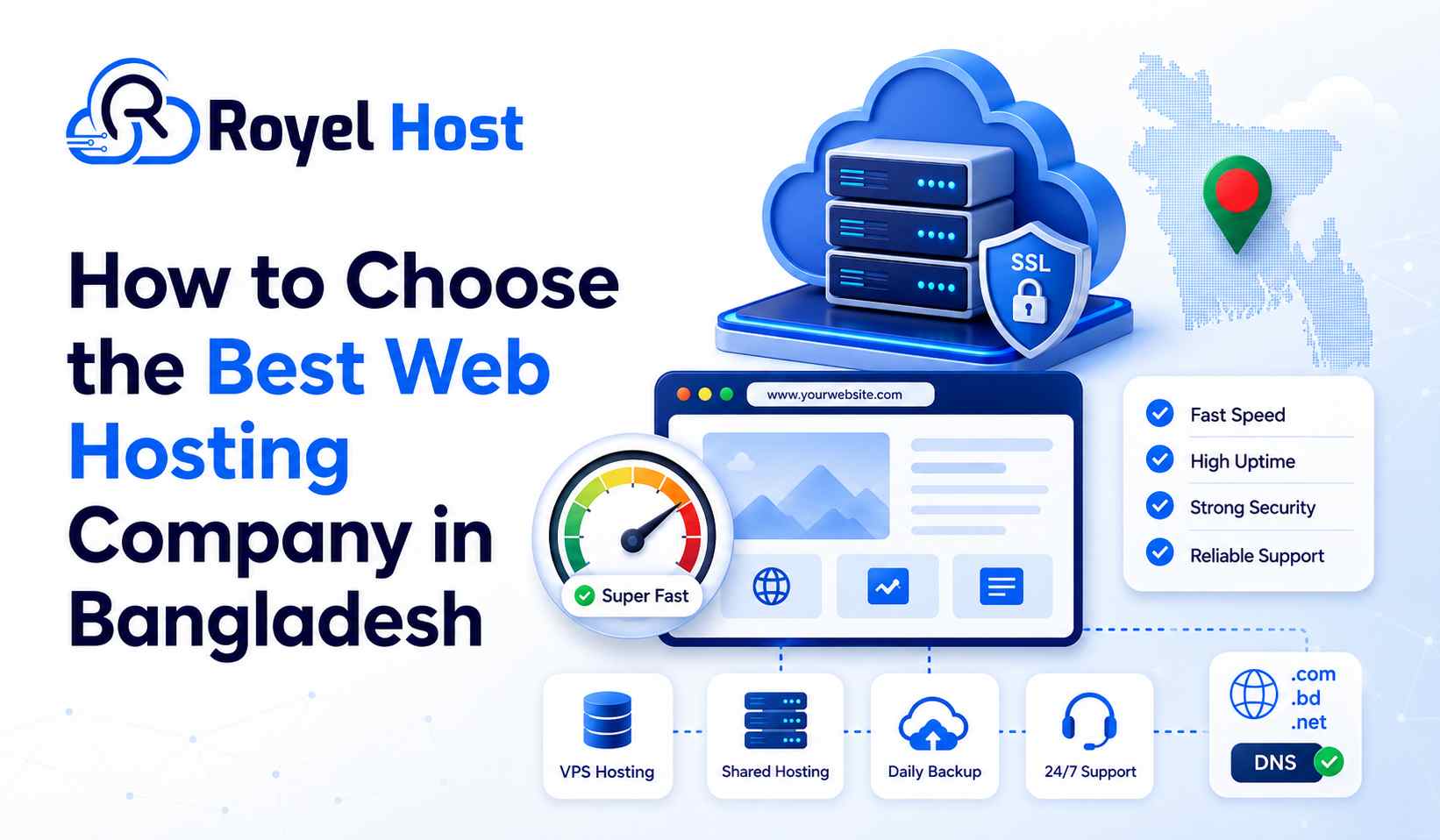
Choosing the Best Web Hosting Bangladesh has to offer is one of the most important decisions you will make when launching a website. Your hosting company controls the server environment where your website files, database, images, emails, and applications are stored.
A good-looking website can still perform badly when it is hosted on a slow, overloaded, insecure, or frequently unavailable server. Visitors may experience slow loading, failed checkouts, broken email delivery, security warnings, or complete downtime.
However, choosing a hosting company is not as simple as finding the cheapest package or the largest storage offer. You need to compare server performance, resource limits, uptime, security, backup, customer support, renewal pricing, data centre location, and upgrade options.
This complete guide will help beginners, business owners, bloggers, developers, and ecommerce entrepreneurs choose a reliable web hosting company in Bangladesh without being confused by technical terms or unrealistic marketing claims.
Why Choosing the Right Web Hosting Company Matters
Web hosting is the technical foundation of your website. Your website design, content, products, marketing campaigns, and search engine optimization all depend on that foundation being stable.
Choosing an unsuitable provider can create problems that are difficult and expensive to solve later.
Website Speed
A slow server can increase page loading time even when the website is properly designed.
Slow loading may lead to:
Visitors leaving before the page opens
Lower product page engagement
Abandoned shopping carts
Reduced contact form submissions
Poor mobile experience
Higher advertising costs
Difficulty crawling large websites
Hosting is not the only factor affecting website speed. Images, scripts, themes, plugins, databases, fonts, and third-party tools also matter. However, a weak server can limit the performance of an otherwise optimized website.
Website Availability
Your hosting server needs to remain online so visitors can access your website.
Frequent downtime may result in:
Lost customers
Missed orders
Failed payments
Interrupted business operations
Lost advertising traffic
Damage to customer trust
Email interruptions
A business website that becomes unavailable during a promotional campaign may lose both money and reputation.
Website Security
The hosting environment protects important files, databases, emails, passwords, and customer information.
A responsible provider should maintain its server software, monitor suspicious activity, and offer suitable security tools. Website owners must also use secure passwords, update their applications, and maintain independent backups.
Search Engine Optimization
Hosting alone cannot move a website to the first position on Google. However, server performance can influence important technical factors such as:
Page response time
HTTPS availability
Website uptime
Mobile usability
Crawl accessibility
User experience
Core Web Vitals performance
Selecting reliable hosting gives your SEO work a stronger technical foundation.
Business Growth
Your hosting requirements may change as your website receives more visitors, publishes more content, adds ecommerce features, or launches new applications.
A suitable hosting provider should make it possible to increase resources or move to a more powerful service without unnecessary disruption.
What Makes the Best Web Hosting Bangladesh Provider?
The best hosting company is not always the provider with the lowest price, the most storage, or the biggest advertisement.
A dependable provider should offer a balanced combination of:
Stable server infrastructure
Fast storage and network connectivity
Clear resource limits
Strong security
Regular backup options
Responsive technical support
Transparent renewal pricing
Suitable server locations
Easy account management
Practical upgrade options
Clear terms and policies
Reliable domain management
The right provider must also match your particular project.
A package that works perfectly for a personal portfolio may be unsuitable for a busy WooCommerce store. Similarly, an expensive dedicated server would be unnecessary for a new five-page business website.
Start by Understanding Your Website Requirements
Do not purchase hosting before identifying what your website needs.
Answer the following questions first.
What Type of Website Are You Building?
Your requirements will differ depending on whether you are launching a:
Personal blog
Portfolio
Company website
News portal
Ecommerce store
Educational website
Membership platform
Web application
SaaS product
Streaming platform
Agency website
Client portal
A basic company profile website uses fewer resources than a large ecommerce store with thousands of products and active customers.
Which Platform Will You Use?
Your website may be built with:
WordPress
WooCommerce
Laravel
PHP
Node.js
Python
React
Another content management system
A custom application
Make sure the hosting environment supports the required programming language, PHP version, database, server software, and application dependencies.
Where Are Your Visitors Located?
Server location and network connectivity influence latency.
When most visitors are in Bangladesh, local or well-connected regional hosting may provide better response times.
When your audience is international, you should consider:
Global network quality
International routing
CDN support
Multiple server locations
Performance from different countries
How Much Traffic Do You Expect?
A new website may initially receive only a few visitors each day. A popular news site, ecommerce store, or advertising campaign may receive thousands of visitors within a short period.
Do not purchase based only on future dreams. Start with a package that fits your realistic current requirements and provides a clear upgrade path.
Do You Need Business Email?
Some hosting packages include basic domain-based email accounts. Other businesses may require a separate professional email service for better storage, deliverability, collaboration, and account management.
If your company needs addresses such as sales@yourcompany.com or support@yourcompany.com, review RoyelHost’s professional email service.
Choose the Correct Type of Web Hosting
Hosting companies offer several service types. Understanding the difference will help you avoid paying for resources you do not need.
Shared Hosting
Shared hosting stores multiple customer accounts on one physical server. The accounts share the overall server infrastructure while remaining separated through hosting software.
Shared hosting is generally suitable for:
Beginners
Personal blogs
Portfolio websites
Small company websites
Landing pages
New WordPress websites
Low-to-medium traffic projects
Its main advantages are affordability and ease of use. The provider handles the main server management, while the customer manages the website through a control panel.
Its main limitation is resource sharing. A shared hosting account normally provides less control and fewer dedicated resources than a VPS.
Beginners can compare RoyelHost’s shared hosting plans in Bangladesh.
WordPress Hosting
WordPress hosting is designed for websites built with WordPress or WooCommerce.
Depending on the package, it may provide:
Easy WordPress installation
WordPress-compatible server settings
LiteSpeed or caching support
SSL installation
Backup tools
Security features
Migration support
WordPress-focused assistance
WordPress hosting may be suitable for:
Blogs
Business websites
Online magazines
News portals
Portfolio websites
WooCommerce stores
Membership websites
The name “WordPress Hosting” does not automatically mean the service is faster. Always compare CPU, RAM, storage, backup, caching, security, and support.
Website owners can review RoyelHost’s WordPress hosting plans.
For a more focused comparison, read the guide to choosing the best WordPress hosting in Bangladesh.
BDIX Hosting
BDIX hosting is designed for websites that mainly serve users inside Bangladesh.
BDIX refers to the Bangladesh Internet Exchange. It helps connected networks exchange local traffic more efficiently.
When the hosting server and visitor network use suitable local routing, BDIX hosting may provide:
Lower local latency
Faster access within Bangladesh
Smoother local browsing
Better performance for Bangladesh-focused services
BDIX hosting may be useful for:
Local news websites
Bangladesh-focused ecommerce stores
Educational platforms
Community websites
Local media projects
Business portals
Websites serving mostly Bangladeshi users
BDIX performance may vary between internet service providers and network routes. You should test the server from several Bangladeshi networks rather than depending only on an advertised speed claim.
Businesses targeting local visitors can explore RoyelHost’s BDIX hosting service.
VPS Hosting
VPS stands for Virtual Private Server.
A physical server is divided into isolated virtual environments. Each VPS receives allocated resources and greater server-level control than standard shared hosting.
VPS hosting may provide:
Allocated CPU resources
Dedicated RAM
NVMe storage
Root access
Custom software installation
Greater configuration control
Better resource isolation
Easier scaling
VPS hosting is suitable for:
Growing ecommerce websites
High-traffic WordPress websites
Web applications
APIs
SaaS products
Business software
Development environments
Multiple client websites
Custom server configurations
A VPS often requires more technical knowledge. Server updates, firewall configuration, monitoring, backup, and software management may become your responsibility unless a managed service is included.
Growing projects can review RoyelHost’s VPS server hosting plans.
You can also read the detailed Shared Hosting vs VPS Server comparison before upgrading.
Dedicated Server Hosting
A dedicated server is a complete physical server assigned to one customer.
It offers the highest level of hardware resources, isolation, customization, and administrative control.
Dedicated servers may be suitable for:
Enterprise websites
High-traffic ecommerce platforms
Large databases
Corporate applications
Streaming projects
Gaming platforms
Resource-intensive software
Large agency operations
A dedicated server usually costs more and may require an experienced system administrator.
A new blog or small business website generally does not need a dedicated server. Purchase one only when your traffic, application, security, or hardware requirements justify the cost.
Organizations with demanding workloads can explore RoyelHost’s dedicated server solutions.
Web Hosting Types Comparison
| Hosting Type | Best For | Technical Skill | Resource Control | General Cost |
|---|---|---|---|---|
| Shared Hosting | Beginners and small websites | Low | Low | Low |
| WordPress Hosting | WordPress and WooCommerce | Low to medium | Low to medium | Low to medium |
| BDIX Hosting | Bangladesh-focused websites | Low to medium | Depends on package | Low to medium |
| VPS Hosting | Growing websites and applications | Medium to high | High | Medium |
| Dedicated Server | Enterprise and heavy workloads | High | Very high | High |
Actual performance depends on the specific package, server load, network, resource limits, software configuration, and provider management.
How to Choose the Best Web Hosting Bangladesh Has to Offer
Once you understand your website requirements, evaluate each hosting provider using the following factors.
1. Check Server Speed and Performance
Website speed depends on both hosting infrastructure and website optimization.
Review whether the provider uses suitable technologies such as:
SSD or NVMe storage
Modern server processors
Sufficient RAM
Optimized web server software
Server-side caching
Updated PHP versions
Database optimization
Stable network connectivity
Do not choose a provider only because it uses the word “fast.”
Ask for practical evidence such as:
A test website
Test IP address
Download test file
Server location
Network information
Real customer website examples
Understand NVMe Storage
NVMe storage generally processes data faster than traditional HDD or older SATA-based storage.
It can improve:
File access
Database queries
Website backups
Application response
WordPress administration
However, NVMe alone does not guarantee a fast website. An overloaded server with weak CPU limits can still perform poorly.
Check Server Response Time
Server response time measures how quickly the server begins responding to a website request.
It may be affected by:
Server load
CPU availability
Website code
Database performance
Caching
Visitor location
Network routing
Test the provider from locations relevant to your audience.
2. Review Uptime and Reliability
Uptime describes how long the hosting service remains operational.
The difference between uptime percentages may appear small, but it can become meaningful over time.
| Advertised Uptime | Approximate Downtime in 30 Days |
|---|---|
| 99% | About 7 hours 12 minutes |
| 99.5% | About 3 hours 36 minutes |
| 99.9% | About 43 minutes |
| 99.95% | About 22 minutes |
| 99.99% | About 4 minutes |
These values are mathematical estimates. Planned maintenance, monitoring methods, and service terms may affect how a provider calculates uptime.
Before purchasing, ask:
Is there a written uptime commitment?
Is planned maintenance excluded?
Is there a public status page?
Are historical uptime reports available?
Is compensation provided after excessive downtime?
How are customers informed about incidents?
After launching your website, use an independent uptime monitoring tool.
3. Compare Real Server Resources
Hosting companies often highlight storage and bandwidth because these values are easy to advertise.
However, the following limits may have a greater effect on real website performance:
CPU allocation
RAM limit
Entry processes
Concurrent connections
I/O speed
IOPS
Inode limit
Database limit
PHP worker limit
Email sending limit
File upload limit
Backup storage
CPU
CPU processes website code, database requests, plugin functions, and application tasks.
A low CPU limit may cause temporary errors when traffic or processing increases.
RAM
RAM stores active processes and data required by the website.
WordPress plugins, ecommerce functions, search systems, and large databases may require more memory.
Entry Processes
Entry processes represent the number of simultaneous scripts or requests the account can process.
A low limit may create errors during traffic spikes.
Inodes
An inode generally represents a file or folder within the hosting account.
A package may advertise large storage but restrict the number of files you can store.
Bandwidth
Bandwidth measures transferred data.
Websites using high-resolution images, videos, downloads, or significant traffic may consume more bandwidth.
Do not assume “unlimited” means there are no restrictions. Server resources are always limited by hardware and acceptable-use policies.
4. Check Security Features
Security should be evaluated before your website experiences a problem.
Useful hosting security features may include:
Free SSL certificate
Web application firewall
Malware scanning
DDoS protection
Account isolation
Login protection
Two-factor authentication
Server monitoring
Secure file permissions
Updated server software
Automated security rules
SSL Certificate
SSL enables HTTPS and encrypts information exchanged between the website and visitor.
HTTPS is necessary for:
Login pages
Contact forms
Customer accounts
Ecommerce checkout
Payment pages
Admin dashboards
Confirm whether SSL installation and renewal are included.
DDoS Protection
A Distributed Denial-of-Service attack attempts to overwhelm a server or network with large amounts of traffic.
Ask whether DDoS protection is included, what level is covered, and what happens during a large attack.
Account Isolation
On shared hosting, account isolation helps prevent one compromised customer account from directly accessing another customer’s files.
DNS Security
Domain and DNS protection are also important. Use strong registrar credentials, enable two-factor authentication, and carefully control DNS changes.
For additional information, read RoyelHost’s guide on protecting a website from DNS attacks.
5. Understand the Backup Policy
A hosting advertisement may simply say “regular backup,” but this does not explain how the system works.
Ask the provider:
Are backups daily, weekly, or monthly?
How many backup versions are retained?
Are files and databases both included?
Are emails backed up?
Are backups stored on a separate server?
Can customers restore backups themselves?
Is restoration free?
Are suspended accounts backed up?
How long is data retained after expiry?
Keep Your Own Backup
Never depend entirely on your hosting provider’s backup.
Maintain copies in more than one location, such as:
Your local computer
External storage
Cloud storage
A separate backup service
Another server
A good backup strategy protects you from accidental deletion, failed updates, malware, account suspension, and server problems.
6. Evaluate Customer Support
Customer support becomes most important when something stops working.
Before purchasing, test the provider’s support.
Ask two or three technical questions and evaluate whether the answers are clear, relevant, and professional.
Useful questions include:
Where is the server located?
What are the CPU and RAM limits?
Is website migration included?
How frequently are backups created?
Is the hosting managed?
What happens when the resource limit is reached?
Can the plan be upgraded?
What is the renewal price?
Is support available outside office hours?
Support Channels
A provider may offer:
Support tickets
Live chat
Email
Telephone
WhatsApp
Knowledge base
Social media support
Ticket support is useful because it creates a written record of the issue and solution.
For package, migration, DNS, SSL, email, or account questions, you can contact the RoyelHost support team.
Understand the Scope of Support
Hosting support normally handles server and account-related issues. It may not include:
Custom website development
Theme modification
Plugin debugging
Malware cleanup
Application coding
SEO services
Content editing
Clarify what assistance is included before purchasing.
7. Compare Pricing and Renewal Costs
Low introductory pricing can attract beginners, but you should calculate the complete long-term cost.
Check:
Initial hosting price
Regular renewal price
Domain registration
Domain renewal
SSL charges
Control panel licence
Backup charges
Migration fees
Setup fees
Dedicated IP cost
Email service cost
Taxes
Payment gateway fees
Monthly vs Yearly Billing
Monthly hosting offers greater flexibility and lower initial risk.
Yearly hosting may provide a lower effective monthly price, but it requires a larger advance payment.
When testing an unfamiliar provider, start with a shorter billing period. Move to a longer term after confirming speed, uptime, support, and stability.
Read the Refund Policy
Check:
Refund period
Eligible hosting products
Excluded products
Domain registration charges
Server setup charges
Licence costs
Payment processing fees
Cancellation procedure
Domains, VPS servers, dedicated servers, licences, and third-party products may have different refund conditions from shared hosting.
8. Check Server Location and Network Connectivity
A server closer to the primary audience may provide lower latency.
However, physical distance is not the only factor. Network routing and connectivity also influence performance.
For Bangladesh-Based Visitors
Consider:
Bangladesh or nearby server options
BDIX connectivity
Local ISP routing
Local network stability
Speed from mobile networks
Speed from broadband networks
Test from several providers because one local network may follow a different route from another.
For International Visitors
Consider:
Server location close to the largest audience
International bandwidth
CDN compatibility
Global DNS performance
International routing
Multiple location options
A CDN can store cached website content closer to visitors, but it does not replace a stable origin server.
9. Review Domain Registration and Management
Your domain is one of your most valuable online assets.
Make sure that:
The domain is registered under your name or company
You control the registered email address
You can access the domain panel
You can manage DNS records
You can obtain the transfer code
Renewal reminders are available
Domain lock is supported
Two-factor authentication is available
Never allow an unrelated developer or agency to become the permanent owner of your business domain.
You can search for an available name through RoyelHost’s domain registration service.
10. Check Professional Email Options
Basic hosting email may be suitable for a small website. Larger teams may require a dedicated business email solution.
Compare:
Mailbox storage
Spam filtering
Webmail access
Mobile synchronization
Sending limits
Backup and retention
Calendar and collaboration
Email migration
Domain verification
Technical support
Email deliverability also depends on correct DNS records, sender reputation, authentication, message content, and recipient systems.
11. Check Scalability and Upgrade Options
Your website may outgrow its first hosting package.
Ask whether you can upgrade:
Storage
CPU
RAM
Bandwidth
Email capacity
Database resources
Number of websites
Hosting type
A typical growth path may look like this:
Shared Hosting → WordPress or Premium Hosting → VPS Hosting → Dedicated Server
The exact path depends on the project. Some websites may remain successfully on shared hosting for years, while complex applications may require a VPS from the beginning.
Ask whether upgrades require:
Website migration
DNS changes
IP address changes
Additional downtime
Control panel changes
Email migration
12. Look for Company Transparency and Trust Signals
A trustworthy hosting company should provide clear and consistent information.
Review the following:
About page
Contact information
Support methods
Company location
Service descriptions
Terms and conditions
Privacy policy
Refund policy
Uptime information
Customer reviews
Social activity
Blog or knowledge base
Billing portal
You can learn more about the provider through the About RoyelHost page.
Evaluate Reviews Carefully
Customer reviews may provide useful information, but do not rely only on star ratings.
Look for details about:
Support response
Server speed
Downtime
Migration
Billing
Refunds
Long-term use
A small number of perfect reviews is less informative than a larger collection of detailed and balanced experiences.
Review the Company’s Educational Content
A useful blog or knowledge base can demonstrate whether the company understands common hosting problems and can explain them clearly.
For hosting, domain, WordPress, server, and website security guides, visit the RoyelHost Blog.
Hosting Provider Comparison Checklist
Use the following table when comparing two or more providers.
| Factor | Provider A | Provider B | Provider C |
|---|---|---|---|
| Hosting type | |||
| Server location | |||
| Storage type | |||
| CPU limit | |||
| RAM limit | |||
| Inode limit | |||
| Bandwidth | |||
| Free SSL | |||
| Backup frequency | |||
| Backup retention | |||
| DDoS protection | |||
| Control panel | |||
| Migration support | |||
| Support hours | |||
| Initial price | |||
| Renewal price | |||
| Refund period | |||
| Upgrade options |
Do not leave important fields blank. Ask the provider when information is missing.
Common Mistakes When Choosing a Hosting Company
Choosing Only by Price
Cheap hosting is not automatically bad, but price alone does not show server quality.
An extremely low-priced package may include strict limits, weak support, poor backup, or expensive renewal.
Looking Only at Storage
A website using 2 GB of storage can still require significant CPU or RAM.
Storage is only one part of the hosting environment.
Believing “Unlimited” Without Reading the Terms
No server contains unlimited hardware.
Unlimited packages normally remain subject to fair-use rules and resource limits.
Ignoring Renewal Pricing
Always compare the regular renewal price, not only the promotional offer.
Purchasing a Long-Term Plan Without Testing
Test speed, uptime, support, control panel, email, and backup before committing to a long contract.
Depending Only on Provider Backups
Always maintain an independent backup.
Choosing the Wrong Server Location
Select a location based on your actual audience rather than the country name that sounds most impressive.
Buying a VPS Without Technical Knowledge
An unmanaged VPS can become insecure when it is not updated, monitored, or configured correctly.
Choose a managed option or obtain technical support when necessary.
Ignoring Email Requirements
Website hosting and professional email have different performance and management needs.
Allowing Someone Else to Own the Domain
Always retain control of your domain registration account.
Installing Too Many WordPress Plugins
Poorly coded or unnecessary plugins can consume server resources, create conflicts, and increase security risks.
Ignoring Support Quality
A powerful server provides little comfort when no one responds during an urgent problem.
Benefits of Choosing a Reliable Hosting Company
A dependable provider can help you achieve:
Faster website loading
More stable website availability
Better visitor experience
Safer website management
Easier domain and SSL setup
Regular backup options
Faster problem resolution
Easier business email setup
More predictable costs
Smooth resource upgrades
Stronger technical foundation for SEO
Greater confidence during marketing campaigns
The goal is not simply to keep your files online. The goal is to create a stable environment where your website can support your business.
Web Hosting Use Cases and Recommended Options
| Website Type | Recommended Starting Option |
|---|---|
| Personal blog | Shared or WordPress Hosting |
| Portfolio website | Shared Hosting |
| Small company website | Shared or WordPress Hosting |
| Local news website | BDIX or scalable hosting |
| Small WooCommerce store | WordPress or Premium Hosting |
| Large ecommerce store | VPS Hosting |
| Web application | VPS Hosting |
| Agency managing many websites | Reseller or VPS Hosting |
| High-traffic platform | VPS or Dedicated Server |
| Enterprise application | Dedicated Server |
These are general recommendations. Website code, traffic patterns, databases, plugins, and background tasks may change the requirements.
Step-by-Step Web Hosting Buying Guide
Follow these steps before placing an order.
Step 1: Define the Website
Write down the website type, platform, expected traffic, visitor location, required storage, and email needs.
Step 2: Select the Hosting Type
Choose shared, WordPress, BDIX, VPS, or dedicated hosting based on the project.
Step 3: Compare at Least Three Packages
Use the comparison checklist instead of comparing only prices.
Step 4: Verify Resource Limits
Ask about CPU, RAM, inodes, entry processes, bandwidth, email, and databases.
Step 5: Test the Network
Request a test website, IP address, or speed test file when available.
Step 6: Contact Support
Ask real questions and evaluate the quality of the replies.
Step 7: Review Policies
Read the terms, privacy policy, refund policy, backup policy, and acceptable-use rules.
Step 8: Confirm Domain Ownership
Make sure the domain account and registered email remain under your control.
Step 9: Calculate the Full Cost
Include renewal, domain, email, control panel, backup, licences, and taxes.
Step 10: Start With a Suitable Billing Term
Use a shorter term when testing a provider.
Step 11: Launch and Test the Website
Check speed, HTTPS, email, forms, database functions, and mobile usability.
Step 12: Monitor Performance
Monitor uptime and resource usage after launch.
Questions to Ask a Web Hosting Company
Before buying, send these questions to the provider:
Where is the server physically located?
Is BDIX connectivity available?
What storage technology is used?
What are the CPU and RAM limits?
What is the inode limit?
How frequently are backups created?
How long are backups retained?
Is free restoration included?
Is free SSL included?
Is DDoS protection included?
What control panel is provided?
Is website migration free?
What is the renewal price?
What is the refund period?
Can the package be upgraded?
Is support available 24/7?
Is the VPS managed or unmanaged?
Can I obtain a test IP or website?
How is downtime handled?
Will the domain be registered under my information?
Clear answers help you make a more informed decision.
Frequently Asked Questions
Which is the best web hosting company in Bangladesh?
The best company depends on your website type, budget, audience, traffic, required resources, support needs, and technical knowledge. Compare speed, uptime, security, backup, support, renewal pricing, and scalability instead of selecting only by price.
How much does web hosting cost in Bangladesh?
Hosting prices vary according to storage, CPU, RAM, bandwidth, server location, management, security, and hosting type. Shared hosting usually costs less than VPS and dedicated server hosting.
Is shared hosting suitable for beginners?
Yes. Shared hosting is generally suitable for beginners, blogs, portfolios, and small business websites because it is affordable and easy to manage.
Is WordPress hosting better than shared hosting?
WordPress hosting may include WordPress-focused optimization and tools. However, a good shared hosting package can also run WordPress. Compare the actual resources and features.
What is BDIX hosting?
BDIX hosting uses suitable local network connectivity to provide faster access for users inside Bangladesh. Performance depends on the server and visitor’s network route.
Is BDIX hosting good for international visitors?
BDIX hosting is mainly useful for Bangladesh-focused traffic. International performance depends on the data centre, upstream connectivity, routing, and network quality.
When should I choose VPS hosting?
Choose VPS hosting when your website requires allocated resources, custom software, root access, greater control, or improved scalability.
Do I need a dedicated server?
Most new websites do not need a dedicated server. It is usually suitable for enterprise applications, high-traffic platforms, large databases, or workloads requiring full hardware resources.
Does hosting affect SEO?
Hosting can indirectly affect SEO through speed, uptime, HTTPS, server response, crawling, and user experience. It cannot guarantee rankings by itself.
What is an uptime guarantee?
An uptime guarantee is a provider’s commitment to keep the service available for a stated percentage of time. Read how uptime is measured and whether compensation is included.
Is unlimited hosting actually unlimited?
No. All servers have physical limits. Unlimited hosting remains subject to CPU, RAM, inode, database, bandwidth, email, and acceptable-use restrictions.
How often should hosting backups be created?
The correct frequency depends on how often the website changes. A frequently updated ecommerce or news website may need daily or more frequent backups, while a static site may need fewer.
Should I buy hosting monthly or yearly?
Monthly billing is useful when testing a provider. Yearly billing may offer better value after you confirm the service quality and understand the renewal terms.
Can I move my website to another hosting company?
Yes. Website files, databases, emails, and DNS settings can usually be migrated. The difficulty depends on the website size, platform, email setup, and access available.
Should my domain and hosting be with the same company?
They can be with the same or different companies. Using one provider may simplify management, while separate providers can offer additional independence. The most important point is maintaining control of the domain.
What should I do after purchasing hosting?
Connect the domain, install SSL, upload or migrate the website, configure backups, create email accounts, test forms, enable security, and monitor uptime.
Conclusion
Choosing the Best Web Hosting Bangladesh provider requires more than looking at price, storage, or promotional claims.
Start by understanding your website type, platform, audience location, expected traffic, security requirements, email needs, and future growth. Then compare real server resources, uptime, speed, backup, support, renewal pricing, network connectivity, and company transparency.
Shared hosting is generally suitable for beginners and small websites. WordPress hosting is useful for WordPress-focused projects. BDIX hosting may improve local access for Bangladesh-based visitors. VPS hosting provides more resources and control, while dedicated servers support demanding workloads.
The best hosting company is the one that provides the right combination of performance, support, security, transparency, and scalability for your particular website.
Take time to compare providers, ask technical questions, read the policies, start with a reasonable billing period, and maintain independent backups.
A careful hosting decision can give your website a stable foundation for better performance, stronger customer trust, successful SEO, and long-term online growth.
FAQ Schema Questions and Answers
1. Which is the best web hosting company in Bangladesh?
The best web hosting company depends on the website type, budget, audience, traffic, resource requirements, customer support, security, and upgrade needs.
2. What should I check before buying web hosting?
Check server speed, uptime, CPU, RAM, storage, bandwidth, backup, security, customer support, renewal pricing, server location, and upgrade options.
3. Is shared hosting suitable for beginners?
Yes. Shared hosting is generally suitable for beginners, personal blogs, portfolio websites, and small business websites.
4. What is BDIX hosting?
BDIX hosting uses local Bangladesh network connectivity to provide faster website access for Bangladeshi users when suitable routing is available.
5. When should I choose VPS hosting?
Choose VPS hosting when your website needs allocated resources, greater control, custom software, root access, or improved scalability.
6. Does web hosting affect SEO?
Web hosting can affect speed, uptime, HTTPS, server response, and user experience, which may indirectly influence SEO performance.
7. Is unlimited hosting really unlimited?
No. Unlimited hosting remains subject to physical server capacity, resource restrictions, fair-use rules, and acceptable-use policies.
8. How often should a hosting company create backups?
Backup frequency depends on the website. Frequently updated ecommerce, news, and membership websites may require daily or more frequent backups.
9. Can I transfer my website to another hosting company?
Yes. Website files, databases, emails, and DNS records can usually be migrated to another hosting company.
10. Should I choose monthly or yearly hosting?
Monthly hosting is useful for testing a provider. Yearly hosting may provide better value after you have verified the service quality and renewal terms.
No comments yet. Be the first to comment.