

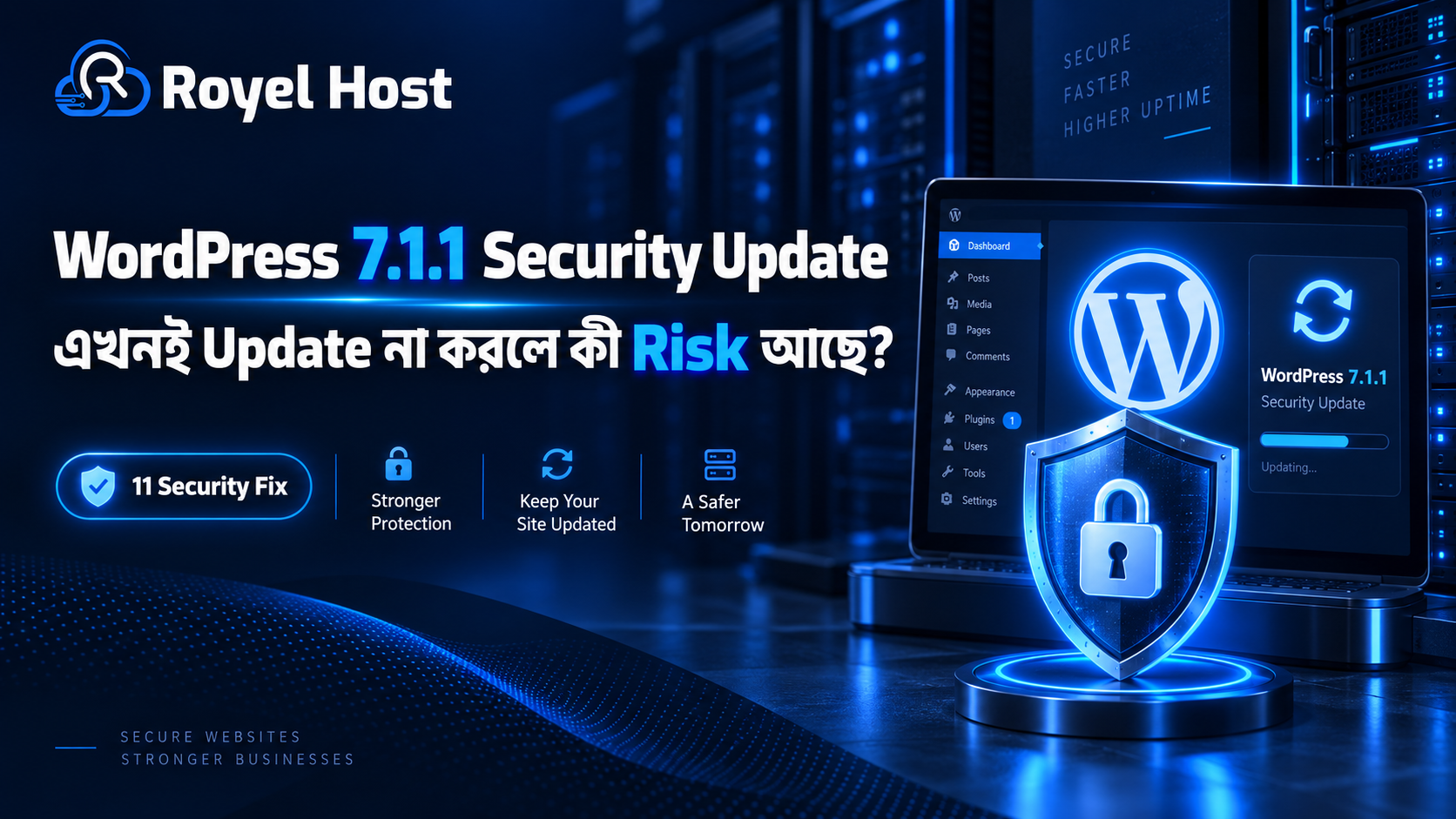
WordPress 7.1.1 Security Update—এখনই Update না করলে কী Risk আছে?
WordPress Website ব্যবহার করছেন? তাহলে আপনার Dashboard-এ WordPress 7.1.1 Update দেখালে সেটি শুধু সাধারণ Maintenance Update ভেবে পরে করার জন্য রেখে দেওয়া ঠিক হবে না।
WordPress 7.1.1 September 17, 2026-এ Security and Maintenance Release হিসেবে প্রকাশিত হয়েছে। এতে WordPress Core-এর 17টি Bug Fix, Block Editor-এর 19টি Bug Fix এবং 11টি Security Fix রয়েছে। WordPress Security Release হওয়ায় Website Owner-দের দ্রুত Update করার recommendation দিয়েছে।
Security Fixগুলোর মধ্যে Stored XSS, Path Traversal, Authorization সমস্যা, Private Information Disclosure, Arbitrary Post Overwrite এবং specially crafted URL-এর মাধ্যমে inactive Theme install/preview করার মতো issue রয়েছে।
অর্থাৎ WordPress 7.1.1 শুধু নতুন Feature বা ছোটখাটো Bug Fix-এর Release নয়।
আপনার Website যদি পুরোনো affected WordPress Core ব্যবহার করে, তাহলে unnecessary Security Risk-এর মধ্যে থাকতে পারে।
এই guide-এ আমরা দেখব WordPress 7.1.1 Security Update কেন গুরুত্বপূর্ণ, 11টি Security Fix সহজ ভাষায় কী বোঝায়, Update না করলে কী Risk থাকতে পারে, Update-এর আগে কী করবেন এবং WooCommerce বা Business Website safely update করার practical process কী।
WordPress 7.1.1 কী?
WordPress 7.1.1 হলো WordPress 7.1 branch-এর একটি Security and Maintenance Release।
WordPress 7.1 August 2026-এ release হওয়ার পর 7.1.1 তার প্রথম গুরুত্বপূর্ণ maintenance/security update।
এই release-এর focus মূলত:
- Core Bug Fix
- Block Editor Bug Fix
- Security Vulnerability Fix
- Authorization Hardening
- Content Protection
- Theme/Plugin-related Permission Improvement
এর ওপর।
WordPress 7.1.1 বর্তমানে 7.1 series-এর latest maintained release।
WordPress 7.1.1-এ কী কী Fix হয়েছে?
Official Release অনুযায়ী WordPress 7.1.1-এ রয়েছে:
| Update Type | Fix |
|---|---|
| WordPress Core | 17টি Bug Fix |
| Block Editor | 19টি Bug Fix |
| Security | 11টি Security Fix |
Website Owner-এর জন্য সবচেয়ে গুরুত্বপূর্ণ অংশ হলো 11টি Security Fix।
কারণ Bug-এর কারণে Website Feature ঠিকমতো কাজ না-ও করতে পারে, কিন্তু Security Vulnerability exploit হলে Website Data, Content বা User Permission-এর ওপর impact তৈরি হতে পারে।
WordPress 7.1.1-এর 11টি Security Fix সহজ ভাষায়
এখন এক এক করে গুরুত্বপূর্ণ Security Fixগুলো সহজভাবে বুঝি।
1. Unauthenticated Stored XSS Risk
WordPress 7.1.1-এ এমন একটি Stored Cross-Site Scripting বা XSS issue fix করা হয়েছে যেখানে কিছু condition-এ unauthenticated visitor malicious script inject করার চেষ্টা করতে পারত, যদিও comment approval-এর মতো condition relevant ছিল।
Stored XSS কী?
Stored XSS এমন vulnerability যেখানে malicious JavaScript বা HTML Website-এর Database/Content-এর মধ্যে save হয়ে যেতে পারে।
পরে Admin বা Visitor affected Page open করলে সেই script execute হতে পারে।
Potential impact হতে পারে:
- Admin Session Target করা
- Malicious Redirect
- Fake Content Display
- User Interaction Manipulate করা
তাই XSS vulnerability ignore করা উচিত নয়।
2. HTML API Security Issue
WordPress HTML API-এর set_modifiable_text() related একটি security issue fix করা হয়েছে।
Specially crafted abrupt-closing sequence ব্যবহার করে HTML Comment-এর expected boundary break করার possibility ছিল।
Normal Website Owner-এর জন্য technical detail মনে রাখার দরকার নেই।
মূল বিষয় হলো WordPress-এর HTML processing layer আরও secure করা হয়েছে।
3. Custom Header Support করা Theme-এ Stored XSS
কিছু WordPress Theme Custom Header support করলে সেখানে Stored XSS issue তৈরি হওয়ার possibility ছিল।
7.1.1-এ এই issue fix করা হয়েছে।
এখানে গুরুত্বপূর্ণ বিষয় হলো—Security Problem সবসময় Plugin থেকে আসে না।
WordPress Core-এর Theme-related processing layer-এও vulnerability থাকতে পারে।
তাই শুধু Plugin Update করলেই Website Security complete হয় না।
4. Crafted URL দিয়ে Inactive Theme Install ও Preview
বিশেষভাবে তৈরি URL ব্যবহার করে WordPress.org থেকে একটি inactive Theme install এবং preview করার situation তৈরি হতে পারত।
WordPress 7.1.1 এই behavior secure করেছে।
Website Owner-এর জন্য এটি গুরুত্বপূর্ণ কারণ Theme Installation এবং Preview normal অবস্থায় proper permission এবং user action-এর মধ্যে থাকা উচিত।
Unexpected Theme Installation capability Security Boundary দুর্বল করতে পারে।
5. Multisite Network Plugin Permission Issue
WordPress Multisite Environment-এ একটি Site Administrator installed Network-only Plugin network-activate করতে পারার authorization issue ছিল।
7.1.1-এ Plugin Activation Permission আরও strict করা হয়েছে।
Normal Single-Site WordPress User-এর জন্য এটি direct concern নাও হতে পারে।
কিন্তু WordPress Multisite চালানো Hosting Provider, Agency, University বা SaaS-type Platform-এর জন্য গুরুত্বপূর্ণ।
6. Authenticated Path Traversal
WordPress REST Templates Controller-এ authenticated Path Traversal issue fix করা হয়েছে।
Path Traversal কী?
Path Traversal vulnerability attacker-কে expected directory-এর বাইরে File Path access বা reference করার সুযোগ দিতে পারে।
সব Path Traversal একই level-এর impact তৈরি করে না।
তবে File System Boundary-এর সঙ্গে related issue হওয়ায় এগুলো Security Perspective থেকে গুরুত্বপূর্ণ।
7. XML-RPC Permission Bypass
WordPress-এর XML-RPC functionality ব্যবহার করে customize_changeset post publish করার সময় কিছু permission check bypass করার possibility ছিল।
এটি Custom CSS permission-এর সঙ্গে related ছিল এবং 7.1.1-এ fix করা হয়েছে।
XML-RPC অনেক WordPress Website-এ এখনো active থাকে।
তাই Website Owner XML-RPC ব্যবহার করেন কি না না জানলেও Core patched রাখা গুরুত্বপূর্ণ।
8. Contributor+ Arbitrary Post Overwrite
Contributor অথবা higher-level authenticated account কিছু condition-এ অন্য Post overwrite করতে পারার vulnerability fix করা হয়েছে।
এটি বিশেষভাবে Multi-Author Website-এর জন্য important।
যেমন:
- News Portal
- Magazine
- Multi-Author Blog
- Company Content Team
- Educational Website
যেখানে অনেক User আলাদা Role নিয়ে কাজ করে।
9. Private Parent Post Title Information Leak
Attachment-related processing-এর একটি missing permission check-এর কারণে Private Parent Post-এর Title expose হওয়ার possibility ছিল।
WordPress 7.1.1-এ appropriate permission check যোগ করা হয়েছে।
এটি বড় Server Takeover-এর মতো issue নয়, কিন্তু Private Information Disclosure Security Issue হিসেবেই ধরা হয়।
10. Draft/Pending Post Slug Disclosure
Contributor+ User কিছু Draft অথবা Pending Post-এর Slug জানতে পারার Authorization Issue ছিল।
7.1.1-এ এটি fix করা হয়েছে।
Private বা unpublished Content নিয়ে কাজ করা:
- News Website
- Product Launch Website
- Business Blog
- Editorial Team
এর জন্য এই ধরনের Information Disclosure গুরুত্বপূর্ণ হতে পারে।
11. Comment/Note Reparenting Permission Issue
Authenticated User কিছু condition-এ Comments বা Notes অন্য Post-এর সঙ্গে reparent করার সুযোগ পেতে পারত।
7.1.1-এ authorization control improve করা হয়েছে।
Multi-User Website-এর Content Integrity-এর জন্য এই fix গুরুত্বপূর্ণ।
WordPress 7.1.1 Update কতটা জরুরি?
এটি Security Release।
তাই “Website এখন ঠিক চলছে, পরে Update করব”—এই approach ideal নয়।
WordPress নিজেই Website Owner-দের immediately update করার recommendation দিয়েছে।
Security Vulnerability public হওয়ার পর সময়ের সঙ্গে attacker vulnerability সম্পর্কে আরও information পেতে পারে।
তাই known security issue থাকা outdated software unnecessarily দীর্ঘদিন ব্যবহার করা উচিত নয়।
Update না করলে কি Website অবশ্যই Hack হবে?
না।
Outdated WordPress ব্যবহার করছেন মানেই Website অবশ্যই hack হবে—এমন বলা ঠিক নয়।
Vulnerability থাকা এবং vulnerability successfully exploit হওয়া এক বিষয় নয়।
Actual Risk depend করতে পারে:
- WordPress Version
- Website Configuration
- User Roles
- Comments Enabled কি না
- Multisite কি না
- XML-RPC
- Theme
- Authentication
- Firewall
- Attacker Access
- Security Configuration
এর ওপর।
তবে Security Fix available থাকার পর vulnerable version চালিয়ে যাওয়ার কোনো strong benefit সাধারণত নেই।
WordPress 7.0 User-দের কী হবে?
WordPress-এর official documentation অনুযায়ী WordPress 7.0 এই 11টি Security Vulnerability-এর সবগুলোর দ্বারা affected ছিল, এবং older eligible branches-এর জন্য প্রয়োজন অনুযায়ী security backport দেওয়া হচ্ছে। WordPress এটাও মনে করিয়ে দিয়েছে যে শুধু সবচেয়ে recent WordPress version actively supported।
অর্থাৎ পুরোনো branch-এ Security Backport পাওয়া গেলেও long-term strategy হিসেবে latest supported release-এর কাছাকাছি থাকা বেশি practical।
খুব পুরোনো WordPress Website হলে কী করবেন?
পুরোনো Website সরাসরি Latest Version-এ Upgrade করলে compatibility issue হওয়ার possibility বেশি থাকতে পারে।
বিশেষ করে Website যদি কয়েক বছর update না করা হয়।
Check করতে হবে:
- PHP Version
- Theme Compatibility
- Plugin Compatibility
- Page Builder
- Custom Code
- Database
- WooCommerce
- Payment Plugin
খুব পুরোনো Business Website হলে direct live update-এর পরিবর্তে Staging Environment-এ migration/update test করুন।
Auto Update থাকলে কি কিছু করতে হবে?
WordPress জানিয়েছে automatic background update support করা Site-গুলোতে update process automatically শুরু হতে পারে।
তবে শুধু Auto Update enabled আছে ধরে নেওয়া ঠিক নয়।
Dashboard থেকে verify করুন:
WordPress Version = 7.1.1 বা newer secure supported release
Auto Update fail হতে পারে যদি:
- File Permission Problem
- Server Issue
- Update Lock
- Disk Space
- Custom Configuration
- Hosting Restriction
থাকে।
WordPress Version কীভাবে দেখবেন?
WordPress Dashboard-এ Login করুন।
সাধারণত Dashboard → Updates section-এ Current Version এবং Available Update দেখা যায়।
Dashboard Footer অথবা Site Health থেকেও Version Information পাওয়া যেতে পারে।
আপনার Website 7.1 চালালে 7.1.1 Update available আছে কি না check করুন।
WordPress 7.1.1 Update-এর আগে কী করবেন?
Security Update দ্রুত করা দরকার, কিন্তু Business-Critical Website হলে basic preparation করুন।
1. Full Backup নিন
Backup-এ রাখুন:
- WordPress Files
- Database
- Uploads
- Theme
- Plugin
- Configuration
Backup শুধু তৈরি করলেই হবে না।
Restore করা সম্ভব কি না সেটাও গুরুত্বপূর্ণ।
2. Hosting Backup Check করুন
Hosting Provider automatic backup রাখে কি না verify করুন।
Local Backup-এর পাশাপাশি Remote/Off-site Backup থাকলে আরও ভালো।
WordPress Website-এর জন্য managed environment এবং backup-focused setup প্রয়োজন হলে RoyelHost WordPress Hosting (royelhost.com/wordpress-hosting) দেখতে পারেন।
3. Plugin Update Check করুন
WordPress Core Update-এর আগে outdated Plugin আছে কি না দেখুন।
কিছু Plugin Latest WordPress Version-এর সঙ্গে compatibility update release করতে পারে।
4. Theme Compatibility Check করুন
বিশেষ করে Custom Theme বা পুরোনো Premium Theme হলে compatibility গুরুত্বপূর্ণ।
Theme Developer অনেক বছর update না করলে risk বেশি।
5. PHP Version Check করুন
Website খুব পুরোনো PHP Environment-এ চলছে কি না দেখুন।
New WordPress Core, Plugin এবং Theme-এর compatibility-এর জন্য supported PHP environment রাখা গুরুত্বপূর্ণ।
6. Staging Website ব্যবহার করুন
WooCommerce, Membership বা Business-Critical Website হলে staging-এ Update test করা সবচেয়ে safe approachগুলোর একটি।
Staging Site হলো Live Website-এর একটি test copy।
এখানে Update করে আগে problem identify করা যায়।
WordPress 7.1.1 Update করলে Website Break হতে পারে?
Most normal Website-এর ক্ষেত্রে Security Maintenance Update smoothly install হওয়ার কথা।
তবে কোনো Update-এর ক্ষেত্রে 100% compatibility guarantee দেওয়া যায় না।
Problem হতে পারে যদি:
- Very Old Plugin
- Abandoned Theme
- Custom PHP Code
- Modified WordPress Core
- Unsupported PHP
- Custom Database Logic
থাকে।
তাই Production Website-এর ক্ষেত্রে Backup অত্যন্ত গুরুত্বপূর্ণ।
Update-এর পর কী কী Test করবেন?
Update complete হওয়ার পর শুধু Homepage open করে stop করবেন না।
Check করুন:
- Homepage
- Important Landing Page
- Blog Post
- Contact Form
- Mobile Layout
- Login
- Admin Dashboard
- Search
- Menu
- Image
- Cache
WooCommerce হলে আরও test করুন:
- Product Page
- Add to Cart
- Cart
- Checkout
- Coupon
- Customer Login
- Payment Gateway
- Order Email
WooCommerce Website হলে Extra Caution কেন?
WooCommerce সাধারণ WordPress Blog-এর তুলনায় বেশি complex।
কারণ এখানে রয়েছে:
- Customer Account
- Payment
- Order
- Product
- Inventory
- Coupon
- Cart
- Checkout
- Third-party API
তাই Production WooCommerce Store update করার আগে backup এবং staging test বেশি গুরুত্বপূর্ণ।
Store Owner-এর জন্য optimized WordPress/WooCommerce environment প্রয়োজন হলে RoyelHost WordPress Hosting (royelhost.com/wordpress-hosting) evaluate করতে পারেন।
Plugin Update না করে শুধু WordPress Core Update করলেই হবে?
Security-wise WordPress Core Update গুরুত্বপূর্ণ।
কিন্তু পুরো Website Security শুধুমাত্র Core-এর ওপর depend করে না।
WordPress Website-এর Attack Surface-এর মধ্যে থাকতে পারে:
- Core
- Plugin
- Theme
- PHP
- Server
- Weak Password
- Malware
- File Permission
তাই Core patched রেখে vulnerable Plugin চালালে Website এখনো Risk-এ থাকতে পারে।
Plugin Security কেন এত গুরুত্বপূর্ণ?
WordPress Ecosystem-এর বড় সুবিধা হলো Plugin।
কিন্তু Third-Party Plugin মানে additional code।
Plugin Developer Security Issue fix করলে সেই Updateও দ্রুত apply করা গুরুত্বপূর্ণ।
Regularly check করুন:
- Plugin Last Updated
- Developer Active কি না
- Compatibility
- Security Notice
- Unused Plugin
Unused Plugin deactivate করেই রেখে না দিয়ে প্রয়োজন না থাকলে remove করার কথা consider করুন।
Theme Security Ignore করবেন না
Theme শুধু Website Design নয়।
Theme-এর মধ্যে PHP, JavaScript এবং other functionality থাকতে পারে।
Outdated Theme Security Risk তৈরি করতে পারে।
বিশেষ করে:
- Nulled Theme
- Unknown Source Theme
- Abandoned Theme
avoid করুন।
Nulled Plugin/Theme কেন বেশি Risky?
Paid Theme বা Plugin-এর pirated/nulled copy-এর মধ্যে malicious code বা backdoor থাকতে পারে।
এগুলো official update channel-ও পায় না।
তাই WordPress Core 100% updated থাকলেও Nulled Plugin/Theme থাকলে Website Risk-এর মধ্যে থাকতে পারে।
WordPress 7.1.1 Update করলেই Website Secure?
না।
এটি একটি গুরুত্বপূর্ণ Security Step, কিন্তু complete Website Security নয়।
Security-এর জন্য Layered Approach ব্যবহার করুন:
Updated Core + Updated Plugin + Updated Theme + Strong Password + Firewall + Backup + Monitoring + Secure Hosting
WordPress Login Security Strong করবেন কীভাবে?
Security Update-এর সঙ্গে basic Login Securityও maintain করুন।
Use করুন:
- Strong Password
- Unique Admin Password
- Two-Factor Authentication
- Limited Admin Account
- Login Monitoring
Default/weak credential avoid করুন।
Admin User বেশি রাখবেন না
যে User-এর Administrator Permission প্রয়োজন নেই তাকে Admin Role দেবেন না।
WordPress Role অনুযায়ী minimum required permission ব্যবহার করা safer।
কারণ compromised Contributor Account এবং compromised Administrator Account-এর potential impact একই নয়।
Multi-Author Website-এর জন্য 7.1.1 কেন বিশেষ গুরুত্বপূর্ণ?
এই Security Release-এর কয়েকটি fix authenticated user এবং Contributor+ permission-এর সঙ্গে related।
তাই News Portal, Magazine, Team Blog এবং Multi-Author Website দ্রুত Update করা বিশেষভাবে গুরুত্বপূর্ণ।
Website-এ যত বেশি User Account থাকে, Permission Boundary তত বেশি গুরুত্বপূর্ণ।
WordPress Multisite User-দের কী করা উচিত?
7.1.1-এর Security Fix-এর মধ্যে Multisite Network Plugin Permission-related issue রয়েছে।
তাই Multisite Administrator-এর Update delay করা উচিত নয়।
Update শেষে:
- Network Admin
- Plugin Activation
- User Role
- Sites
properly functioning কি না check করুন।
Update-এর আগে Maintenance Mode লাগবে?
Small Blog-এর Security Update সাধারণত দ্রুত হয়।
কিন্তু Busy Business বা WooCommerce Website হলে low-traffic period-এ Update করা practical।
Staging test থাকলে আরও ভালো।
Update-এর সময় Error হলে কী করবেন?
Panic করে Database বা File Delete করবেন না।
প্রথমে:
- Backup নিশ্চিত করুন
- Error Message note করুন
- Hosting Log review করুন
- Plugin Conflict Check করুন
- Hosting Support-এর সাহায্য নিন
Managed Hosting-এর সুবিধার একটি অংশ হলো এই ধরনের issue-তে technical support পাওয়া।
WordPress Update-এর পর White Screen হলে কী করবেন?
White Screen অনেক কারণে হতে পারে।
যেমন:
- Plugin Conflict
- Theme Conflict
- PHP Fatal Error
- Memory
- Cache
Update-এর পরে এমন হলে Backup এবং Error Log ব্যবহার করে cause identify করতে হবে।
Random File Delete করা উচিত নয়।
Cache Clear করা দরকার হতে পারে?
Core Update-এর পরে Website অস্বাভাবিক দেখালে Cache Clear useful হতে পারে।
যদি ব্যবহার করেন:
- WordPress Cache
- Server Cache
- CDN Cache
- Browser Cache
তাহলে stale Content সাময়িক সমস্যা তৈরি করতে পারে।
তবে Cache Clear Security Update-এর replacement নয়।
Website আগে থেকেই Hack হয়ে থাকলে শুধু Update যথেষ্ট?
না।
এটা অত্যন্ত গুরুত্বপূর্ণ।
ধরুন Website vulnerability ব্যবহার করে attacker আগেই malicious file বা backdoor install করেছে।
আপনি পরে WordPress Update করলেন।
এতে vulnerability patch হতে পারে, কিন্তু existing malware automatically remove হবে না।
Compromised Website-এর জন্য আলাদা Security Cleanup দরকার।
Website Hack হয়েছে কিনা কীভাবে বুঝবেন?
Possible warning sign:
- Unknown Admin User
- Unexpected Redirect
- Spam Page
- Search Result-এ Strange Content
- Malware Warning
- Unknown Plugin
- Unexpected File
- Website Slow
- Hosting Suspension
- Unusual Login
- SEO Spam
একটি symptom alone hack confirm করে না।
কিন্তু suspicious activity থাকলে Security Audit করুন।
Hack হওয়ার পরে কী করবেন?
Practical flow হতে পারে:
Backup Evidence → Malware Scan → Core/Plugin/Theme Update → Credential Reset → Suspicious User Remove → File Review → Monitoring
Serious compromise হলে professional cleanup নেওয়া safer হতে পারে।
Shared Hosting Security কি WordPress Security-তে Impact করে?
হ্যাঁ।
WordPress Security শুধু Application Level নয়।
Hosting Environment গুরুত্বপূর্ণ।
Hosting-এর মধ্যে ideally থাকতে পারে:
- Updated Server Software
- Account Isolation
- Malware Protection
- Firewall
- Backup
- Monitoring
- DDoS Protection
- Secure PHP Environment
Business Website-এর জন্য বেশি resource এবং protected Hosting environment দরকার হলে RoyelHost Premium Hosting (royelhost.com/premium-hosting) দেখতে পারেন।
VPS নিলে WordPress আরও Secure হবে?
Automatically নয়।
VPS-এ বেশি control পাওয়া যায়।
কিন্তু Server Security manage না করলে Unmanaged VPS Shared Hosting-এর চেয়ে বেশি management riskও তৈরি করতে পারে।
VPS-এ আপনাকে manage করতে হতে পারে:
- Operating System
- Firewall
- Web Server
- PHP
- Database
- Backup
- Malware Protection
- Update
Root Access এবং Custom Server Configuration দরকার হলে RoyelHost VPS Server (royelhost.com/vps-server) evaluate করতে পারেন।
Website Update করার সময় Backup কোথায় রাখবেন?
শুধু একই Hosting Account-এর মধ্যে Backup রাখলে Server/Account Problem হলে Backup-ও unavailable হতে পারে।
Possible হলে Remote Backup রাখুন।
যেমন separate storage/location।
Business-Critical Website-এর জন্য multiple restore point useful।
Automatic WordPress Update Enable রাখা ভালো?
Security Maintenance Release-এর ক্ষেত্রে automatic background update useful।
এতে Website Owner manual Update miss করলেও Security Update automatically apply হতে পারে।
তবে Business-Critical Website-এর ক্ষেত্রে Monitoringও প্রয়োজন।
Auto Update হয়েছে কি না verify করুন।
Automatic Plugin Update কি Enable করবেন?
সব Website-এর জন্য single answer নেই।
Simple Website-এ trusted Plugin-এর Auto Update useful হতে পারে।
Complex WooCommerce Website-এ Update Compatibility Risk বেশি হতে পারে।
একটি balanced approach:
Critical Security Update দ্রুত → Major Feature Update Staging Test
WordPress 7.1.1-এর Bug Fix কি Performance Improve করবে?
7.1.1-এ Core এবং Block Editor Bug Fix রয়েছে।
কিন্তু এটি primarily Performance Release নয়।
তাই Update করার পর Website automatically dramatically faster হবে—এমন expectation রাখা উচিত নয়।
Website Performance depend করে:
- Hosting
- Cache
- Theme
- Plugin
- Image
- Database
- PHP
- CDN
এর ওপর।
WordPress Website Slow হলে কী করবেন?
Security Update করার পরও Website Slow হলে আলাদাভাবে Performance Audit করুন।
Check করুন:
- CPU
- RAM
- Cache
- Database
- Image
- Plugin
- Theme
- Third-party Script
WordPress optimized environment প্রয়োজন হলে RoyelHost WordPress Hosting (royelhost.com/wordpress-hosting) practical option হতে পারে।
Update না করার Common Reasons—এবং কেন ঠিক নয়
“Website ঠিকই চলছে”
Functional Website মানেই Secure Website নয়।
Security Vulnerability অনেক সময় visible symptom ছাড়াই থাকতে পারে।
“Update করলে Design নষ্ট হবে”
Proper Backup এবং Staging ব্যবহার করুন।
Security Patch indefinitely delay করা solution নয়।
“আমার Website ছোট”
Small Website-ও automated attack-এর target হতে পারে।
Attackers অনেক সময় Website Size দেখে নয়, vulnerable software scan করে।
“আমার কোনো Customer Data নেই”
Website compromise হলেও:
- Spam
- Phishing
- Malware
- SEO Spam
- Redirect
এর জন্য Site misuse হতে পারে।
WordPress Security Update-এর Practical Checklist
| Check | Action |
|---|---|
| Current WordPress Version | Verify করুন |
| 7.1 ব্যবহার করছেন | 7.1.1 বা newer secure version-এ Update করুন |
| Full Backup | নিন |
| Plugin | Compatibility/Update Check |
| Theme | Compatibility Check |
| PHP | Supported Environment Check |
| WooCommerce | Staging Test |
| Update Complete | Version Verify |
| Forms | Test |
| Checkout | Test |
| Cache | প্রয়োজন হলে Refresh |
| Unknown User | Check |
| Malware | Suspicion থাকলে Scan |
| Backup | Restore Point রাখুন |
WordPress 7.1.1 Update-এর সবচেয়ে বড় Mistakeগুলো
Backup ছাড়া Update করা
Security Update urgent হলেও Backup important।
Update মাসের পর মাস Delay করা
Known vulnerability unnecessaryভাবে expose করে রাখবেন না।
শুধু Core Update করা
Plugin এবং Theme Securityও গুরুত্বপূর্ণ।
Nulled Plugin রেখে দেওয়া
Core update Nulled Plugin-এর Malware fix করবে না।
Update-এর পর Website Test না করা
Critical function verify করুন।
Hack হওয়া Website শুধু Update করা
Existing Malware থাকলে cleanup দরকার।
Agency বা Developer হলে কী করবেন?
আপনার যদি multiple Client Website থাকে, একটি Update Process তৈরি করুন।
প্রথমে Website Inventory করুন।
তারপর:
- Backup Status Check
- WordPress Version Check
- Plugin/Theme Check
- Critical Website Staging Test
- Update
- Functional Test
- Security Monitoring
Manualভাবে শত শত Website maintain করা কঠিন।
Centralized Management useful হতে পারে।
Hosting Provider-এর Role কী?
Hosting Provider WordPress Core সবসময় manually control না করলেও secure hosting environment দেওয়া গুরুত্বপূর্ণ।
Provider-এর উচিত:
- Server Software Updated রাখা
- PHP Maintain করা
- Account Isolation
- Backup
- Firewall
- Monitoring
- Malware Protection
Application Security এবং Server Security একসঙ্গে কাজ করে।
WordPress 7.1.1 কি Short-Cycle Release?
হ্যাঁ।
WordPress 7.1.1 short-cycle release এবং WordPress 7.2 December 2026-এর জন্য planned।
তবে “কয়েক মাস পর 7.2 আসবে, তাই 7.1.1 skip করি”—এটি ভালো Security Strategy নয়।
Security Update available থাকলে waiting unnecessarily risk বাড়াতে পারে।
পুরোনো Branch-এর Security Fix আছে?
WordPress eligible older branches-এ প্রয়োজন অনুযায়ী 7.1.1-এর security fixes backport করছে। Official documentation অনুযায়ী 4.7 পর্যন্ত কিছু branch security updates পাচ্ছে, কিন্তু 4.6 এবং earlier versions আর security updates পায় না।
তবে WordPress স্পষ্ট করেছে যে শুধু latest version actively supported।
তাই অত্যন্ত পুরোনো Website-এর long-term solution হলো supported environment-এ migration planning করা।
কখন WordPress Hosting Upgrade করবেন?
Security Update-এর জন্য সাধারণত Hosting Plan Upgrade করতে হয় না।
তবে Website যদি একই সঙ্গে:
- CPU Limit Hit
- RAM Limit
- Slow Admin
- High Traffic
- WooCommerce Growth
- Backup Space Problem
- Multiple Website
এর সমস্যায় পড়ে, তখন Hosting Upgrade evaluate করুন।
Small/Medium WordPress Website-এর জন্য RoyelHost WordPress Hosting (royelhost.com/wordpress-hosting) ব্যবহার করা যেতে পারে।
আর বেশি resource দরকার হলে RoyelHost Premium Hosting (royelhost.com/premium-hosting) consider করতে পারেন।
Full Server-Level Control প্রয়োজন হলে RoyelHost VPS Server (royelhost.com/vps-server) evaluate করা যায়।
WordPress Website Security-এর Simple Formula
Website Securityকে overly complicated না করে একটি simple formula মনে রাখতে পারেন:
Update + Backup + Strong Login + Trusted Plugin + Secure Hosting + Monitoring
এই ছয়টি basic practice অনেক common risk significantly reduce করতে সাহায্য করে।
তাহলে WordPress 7.1.1 এখনই Update করবেন?
আপনার Website যদি affected WordPress Version ব্যবহার করে এবং 7.1.1 বা appropriate patched security release available থাকে, তাহলে Update unnecessarily delay করা উচিত নয়।
WordPress 7.1.1-এ 11টি Security Fix রয়েছে।
এর মধ্যে রয়েছে:
- Stored XSS
- Path Traversal
- Authorization Issue
- Post Overwrite
- Private Information Disclosure
- Theme Installation/Preview-related Issue
- Multisite Permission Issue
- XML-RPC Permission Issue
এগুলো শুধু cosmetic bug নয়।
তাই best process হলো:
Backup → Compatibility Check → Update → Verify → Test → Monitor
Small WordPress Website হলে process simple হতে পারে।
WooCommerce, Membership, News Portal বা Business-Critical Website হলে Staging এবং Backup আরও important।
Website-এর জন্য managed WordPress-focused environment দরকার হলে RoyelHost WordPress Hosting (royelhost.com/wordpress-hosting) দেখতে পারেন।
Growing Business Website-এর জন্য বেশি resource দরকার হলে RoyelHost Premium Hosting (royelhost.com/premium-hosting) evaluate করতে পারেন।
আর Root Access, Custom Configuration এবং scalable Server Resource প্রয়োজন হলে RoyelHost VPS Server (royelhost.com/vps-server) consider করা যেতে পারে।
Security Update-এর ক্ষেত্রে সবচেয়ে গুরুত্বপূর্ণ rule হলো:
“Website এখন চলছে” দেখে Update delay করবেন না।
Known Security Fix available থাকলে patched version ব্যবহার করাই safer approach।
সাধারণ প্রশ্ন ও উত্তর (FAQ)
WordPress 7.1.1 কখন Release হয়েছে?
WordPress 7.1.1 September 17, 2026-এ release হয়েছে। এটি Security and Maintenance Release।
WordPress 7.1.1-এ কয়টি Security Fix আছে?
এতে 11টি Security Fix রয়েছে।
WordPress 7.1.1 Update করা কি জরুরি?
হ্যাঁ। এটি Security Release এবং WordPress Website Owner-দের দ্রুত Update করার recommendation দিয়েছে।
Update করলে Website Design নষ্ট হবে?
সাধারণত Security Maintenance Update smoothly কাজ করার কথা, তবে পুরোনো Theme, Plugin বা Custom Code-এর কারণে compatibility issue হতে পারে। তাই Backup রাখা ভালো।
Update-এর আগে Backup দরকার?
হ্যাঁ। বিশেষ করে Business, WooCommerce বা Client Website-এর ক্ষেত্রে Full Backup নেওয়া উচিত।
Auto Update থাকলে manually Update করতে হবে?
Auto Update complete হয়ে থাকলে প্রয়োজন নেই। তবে Dashboard থেকে Version verify করুন।
WordPress 7.0 কি affected?
Official WordPress documentation অনুযায়ী WordPress 7.0 এই release-এ fixed হওয়া 11টি vulnerability-এর সবগুলোর দ্বারা affected ছিল।
Plugin Update করলেই কি WordPress Core safe হবে?
না। Core, Plugin এবং Theme আলাদা component। প্রত্যেকটিকে updated রাখতে হবে।
Website Hack হয়ে থাকলে 7.1.1 Update করলেই কি ঠিক হবে?
না। Update vulnerability patch করতে পারে, কিন্তু existing malware বা backdoor থাকলে আলাদা Security Cleanup প্রয়োজন।
WooCommerce Website Update করা যাবে?
হ্যাঁ। তবে Business-Critical Store হলে Backup নিয়ে Staging-এ test করে Update করা safer।
Nulled Plugin ব্যবহার করলে কি সমস্যা?
হ্যাঁ। Nulled Plugin/Theme-এর মধ্যে malicious code থাকতে পারে এবং reliable security update পাওয়া যায় না।
WordPress 7.2 কবে আসবে?
WordPress 7.2 বর্তমানে December 2026-এর জন্য planned।
No comments yet. Be the first to comment.